
Policies
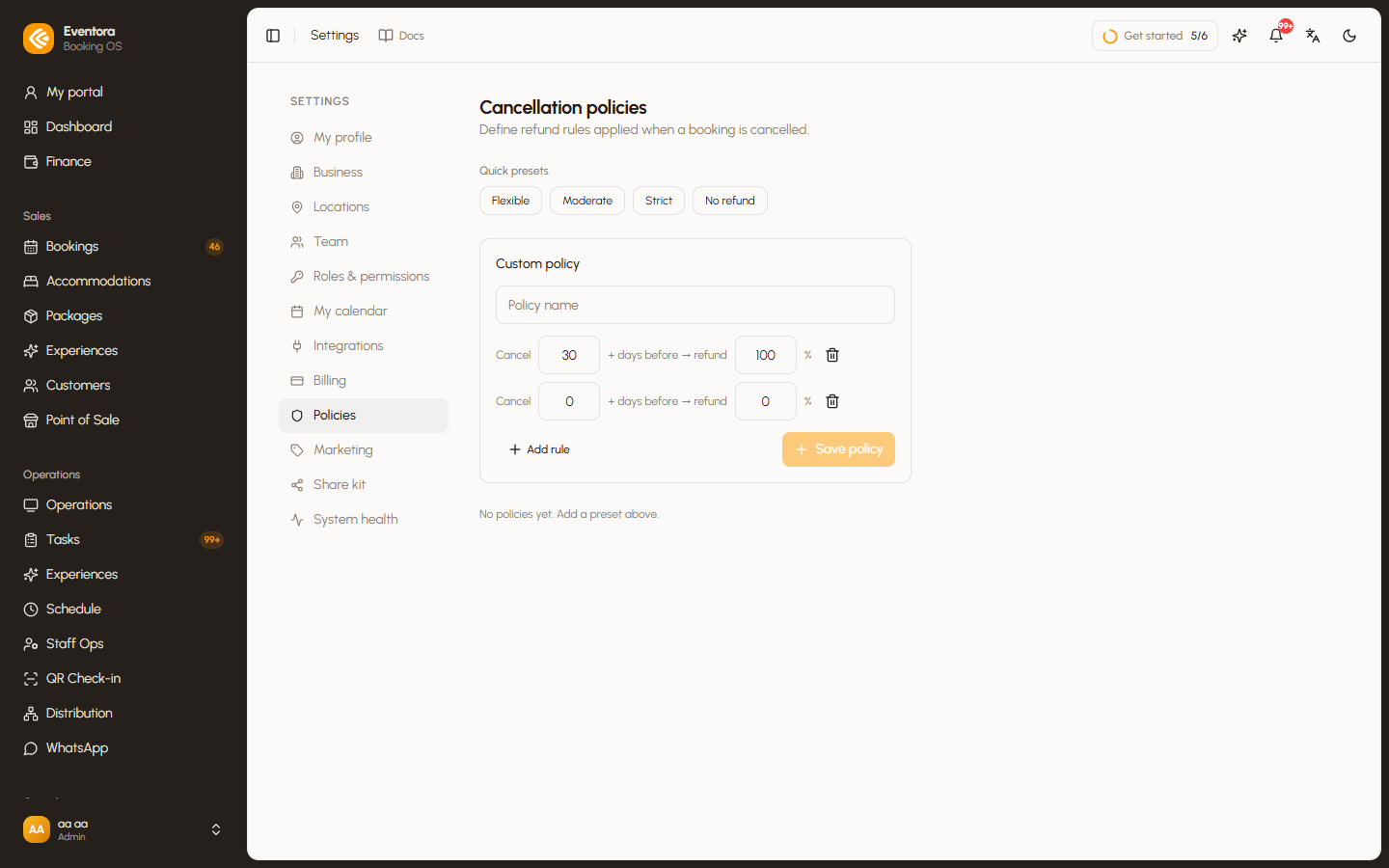
Cancellation policies define how much guests are refunded when they cancel a booking, based on how far in advance the cancellation occurs. You can maintain multiple named policies and mark one as the default.
How policies work
Each policy has a name and its own set of rules. When a booking is cancelled, Eventora checks the number of days between the cancellation date and the arrival date against the applicable policy's rules and calculates the refund amount automatically.
Quick-start presets
Instead of building a policy from scratch, one click creates a ready-made policy:
| Preset | Rules |
|---|---|
| Flexible | 100% refund up to 1 day before arrival |
| Moderate | 100% refund 30+ days out, 50% at 7+ days, 0% otherwise |
| Strict | 50% refund 30+ days out, 0% otherwise |
| No refund | 0% at any time |
Creating a custom policy
- Go to Settings → Policies
- Under Custom policy, enter a name
- Add rules, each with:
- Days before arrival — the threshold (e.g., 7 days)
- Refund percentage
- Save
Example custom policy
| Days before arrival | Refund |
|---|---|
| 14+ days | 100% |
| 7–13 days | 50% |
| 0–6 days | 0% |
Default policy
One policy is marked Default (badge shown in the list). Use Set default on any other policy to make it the default instead.
Multiple rules within a policy
Add as many rules as needed to reflect a given policy. Rules are evaluated from the most specific (fewest days) to the most general.
Processing a refund
When you cancel a booking from the booking detail panel:
- Eventora calculates the refund based on the active policy
- The calculated amount is shown for your review
- Confirm to process the refund via Stripe
Refunds are returned to the guest's original payment method. Processing time depends on the guest's bank (typically 5–10 business days).
No-show policy
For no-shows (guest does not arrive and booking is marked Completed or Cancelled), apply a 0% refund rule for 0 days before arrival.