
Social Media
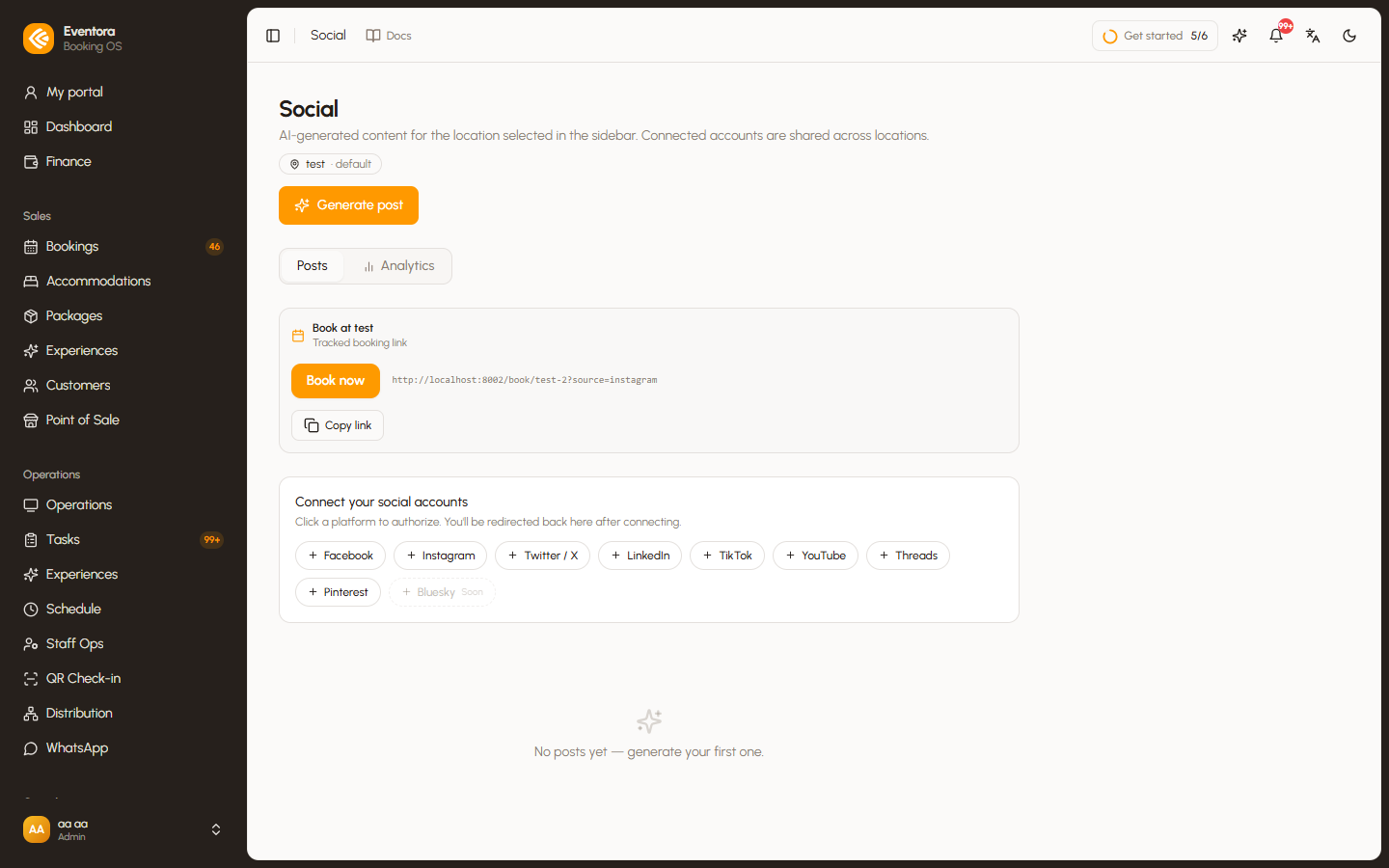
Eventora's Social Media section lets you generate, manage, and publish posts across multiple platforms from a single interface.
Supported platforms
Facebook, Instagram, Twitter/X, LinkedIn, TikTok, YouTube, Threads, Pinterest are connectable and postable today. Bluesky is listed but marked "Soon" — not yet available to connect.
Generating a post
- Go to Social Media
- Start a new post
- Choose a tone: Engaging, Professional, or Casual
- Click Generate — the AI creates suggested post copy
- Edit the copy if needed, add media, and choose an action
Post actions
| Action | Description |
|---|---|
| Edit | Revise the post copy inline |
| Add / Change media | Attach or replace the image/video, including the AI generator (below) |
| Publish | Publish immediately to the selected platforms |
| Schedule (clock icon) | Pick a future date/time; the post publishes automatically |
| Delete | Remove the post |
Posts move through draft → scheduled/published, or failed if a platform rejects them (failed posts stay editable so you can fix and retry).
AI media generation
The post composer includes an AI media generator beyond text: AI image generation, AI video generation (with duration presets and a "start from image" keyframe option), and AI voiceover (choose a voice, generated audio is merged into the video). You can also pick existing assets from the Media Library tab instead of generating new ones.
Publishing to multiple platforms
When publishing, select which platforms to post to. A single post can go to multiple platforms simultaneously with one click.
AI Auto-Reply
A toggle on the Social Media page turns on AI Auto-Reply, which automatically replies to DMs and comments using AI.
Analytics
A separate Analytics view aggregates impressions, reach, likes, comments, shares, clicks, and engagement rate across your published posts.
Connecting accounts
Connect accounts inline from the Posts tab — there is no separate "Account Setup" page. Each platform requires authentication through its own OAuth flow. Connected accounts can be removed at any time.
Tips
- Schedule posts in advance for consistent output during busy operational periods.
- AI-generated images and video show an AI-generated badge in Eventora. Keep that labeling when required by the destination platform. See AI transparency.