
Sell the week
Story: You run a small retreat / surf camp. This week you want one clear offer on the booking page — a room (or bed), one activity, and a package guests actually buy.
Outcome: A public package guests can book and pay for. Skip Growth, AI, and most of Finance until this works.
You need: app.eventora.ai login, ~30–45 minutes, Stripe (can connect near the end).
1. Name the business
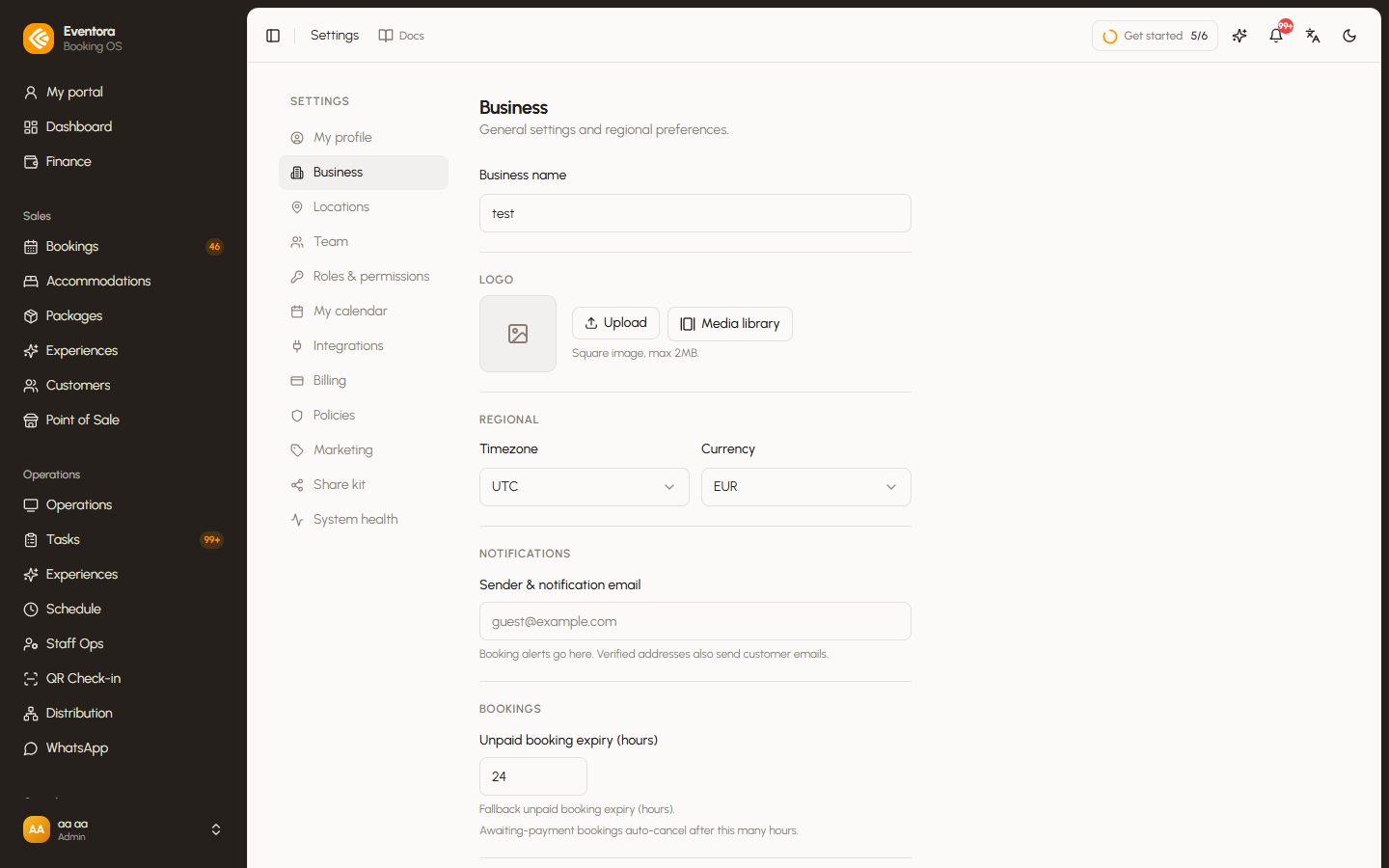
Settings → Business
- Business name
- URL slug (letters/numbers only →
{slug}.eventora.aiand/book/<slug>) - Timezone + currency
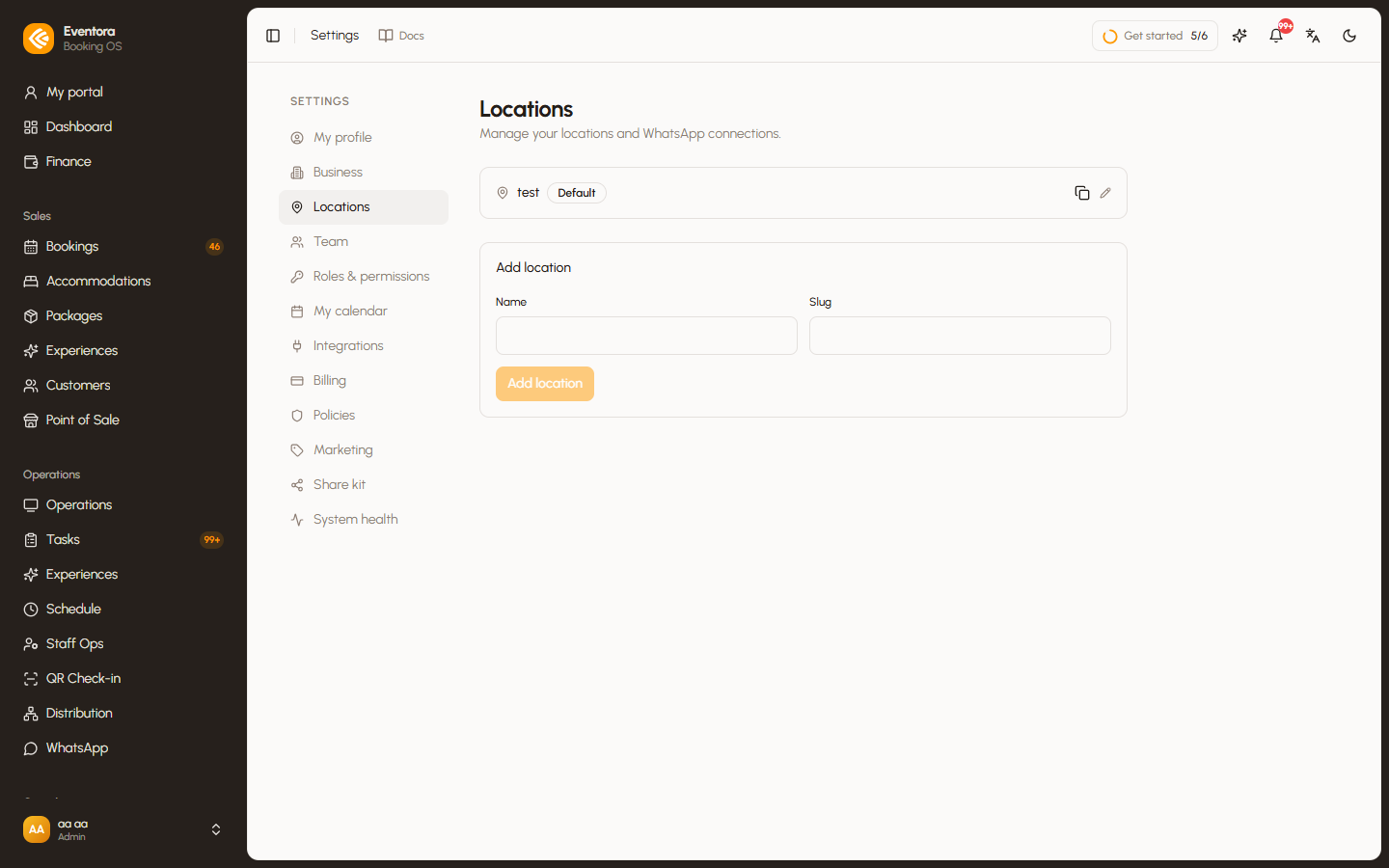
Settings → Locations → create one site (camp / center / studio).
2. Sell a place to sleep
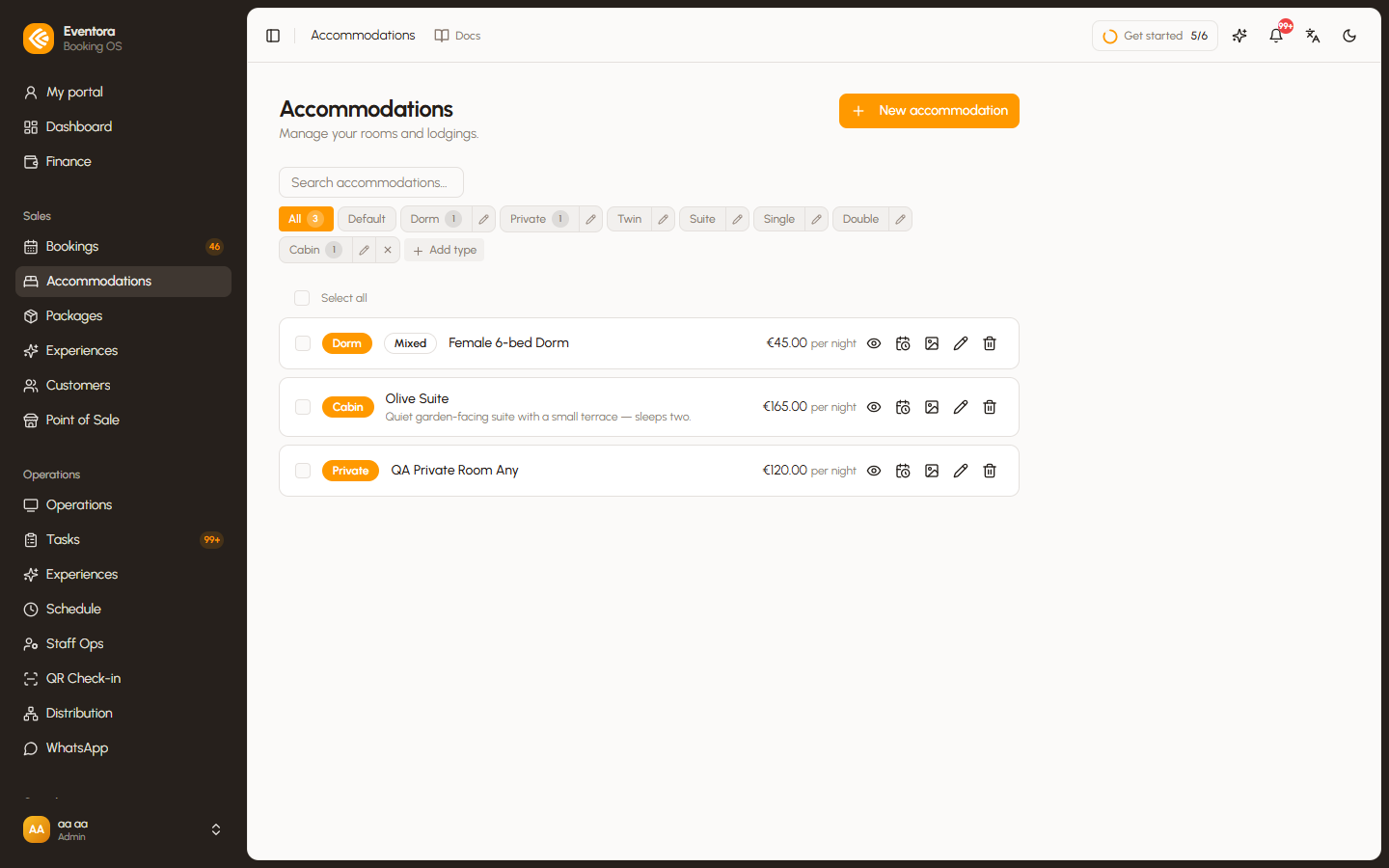
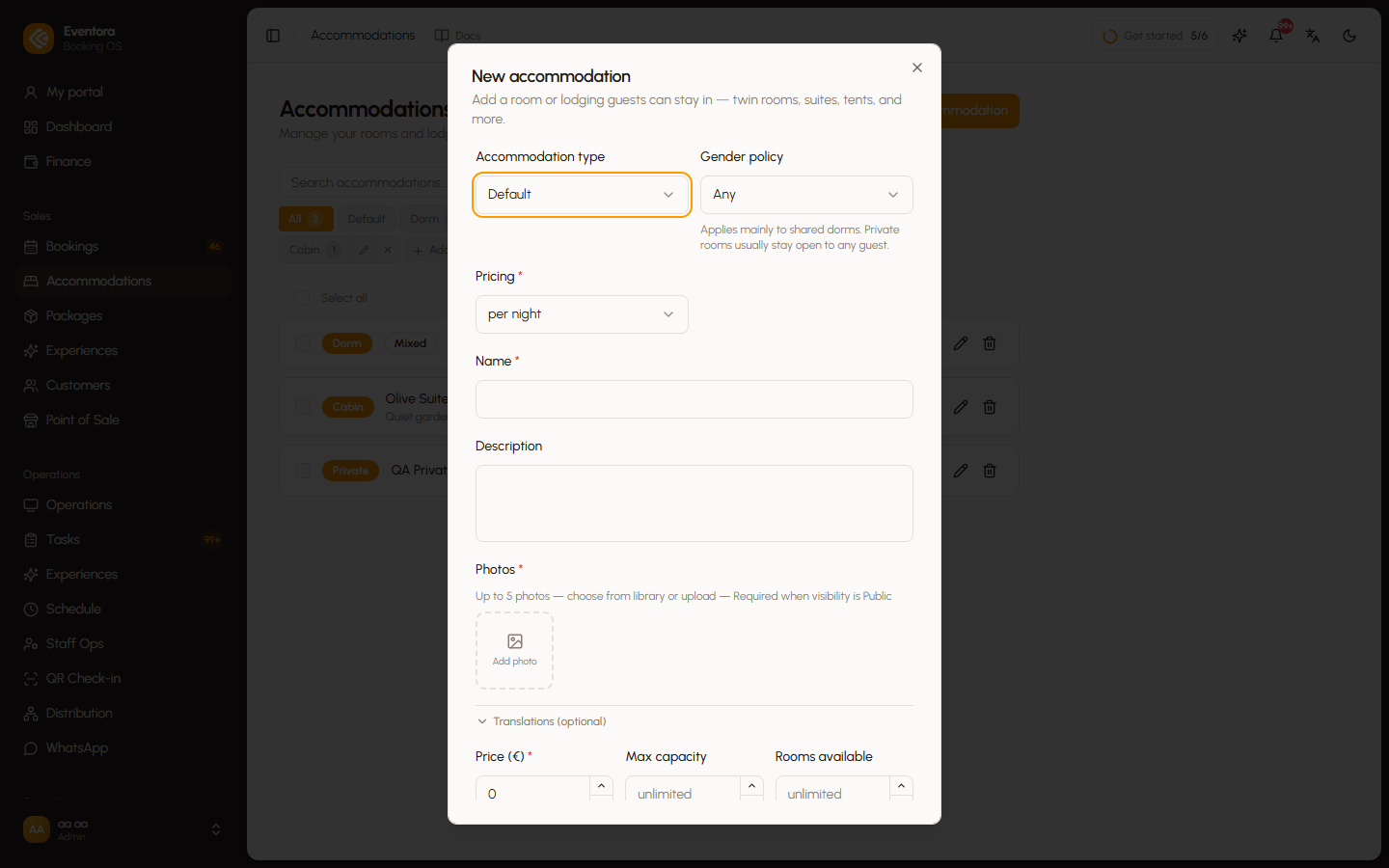
Sidebar → Accommodations → New accommodation
Example: “Shared dorm” or “Private room”
- Price defaults to per night + Public
- Add at least one photo if Public (or save Hidden, then publish)
- Optional: calendar icon on the row → check-in / check-out times (defaults 14:00 / 11:00)
No weekly schedule is required for accommodations — once Public, dates are bookable subject to capacity.
Deeper reference
3. Add one experience guests will love
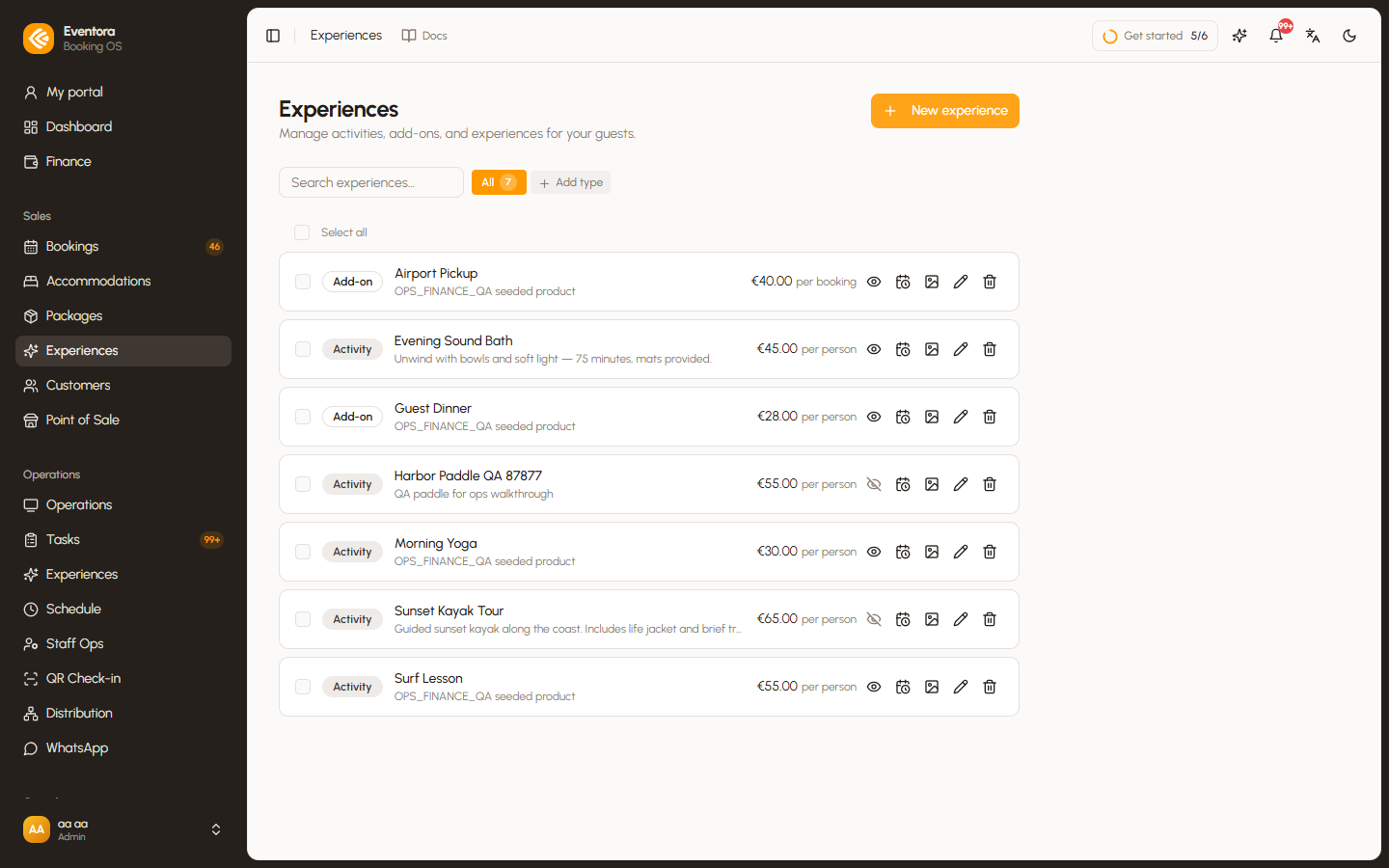
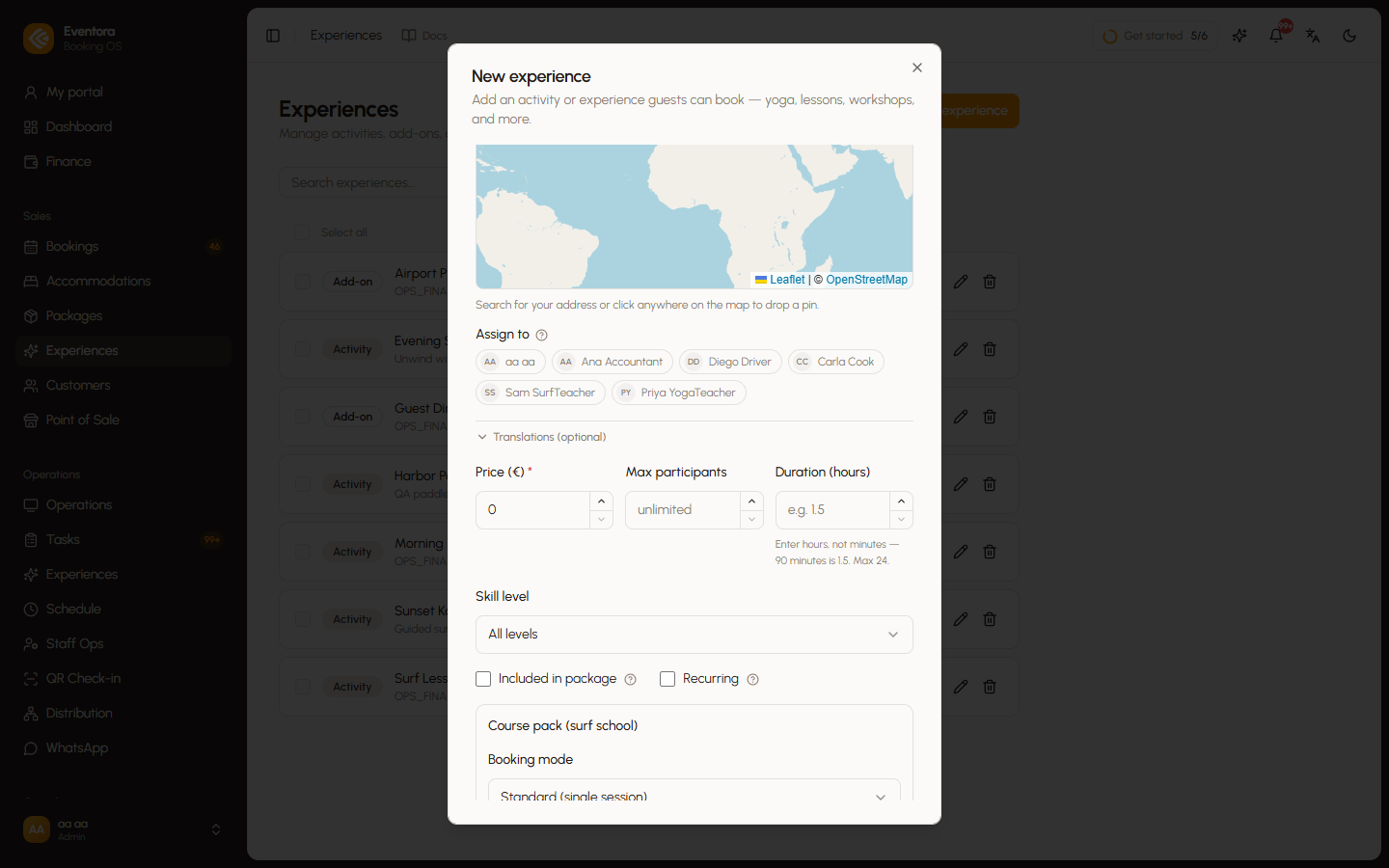
Sidebar → Experiences → New experience
Example: “Morning yoga” or “Daily surf lesson”
- Per person + Public (defaults)
- Photo if Public
- Duration (hours) — enter hours, not minutes (
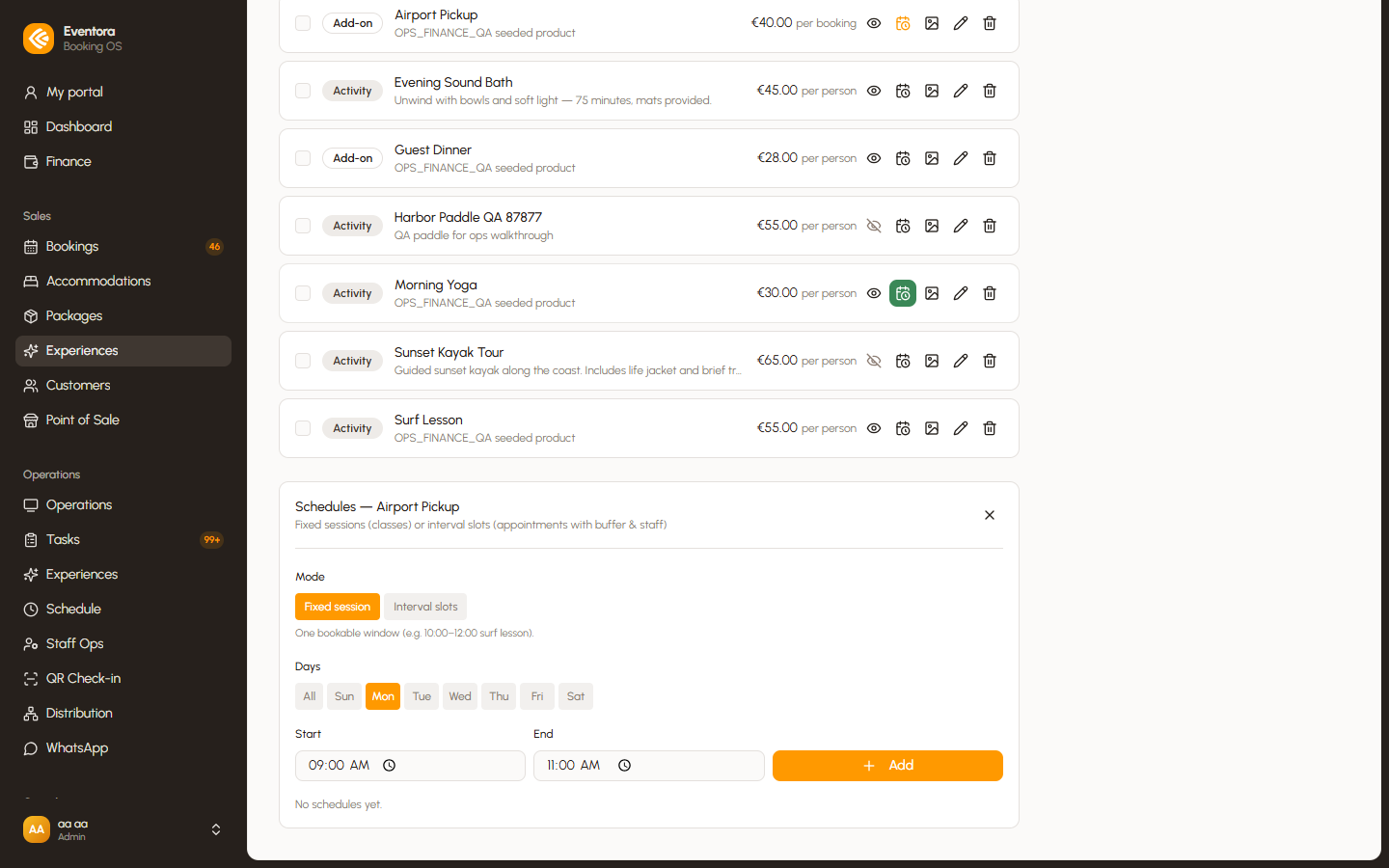
1.5= 90 minutes, max 24) - Save → the schedule panel opens — add at least one weekly slot (e.g. All days 10:00–11:30). No schedule = no bookable times.
Deeper reference
4. Bundle it as the thing guests buy
Most guests book a package, not a bare room.
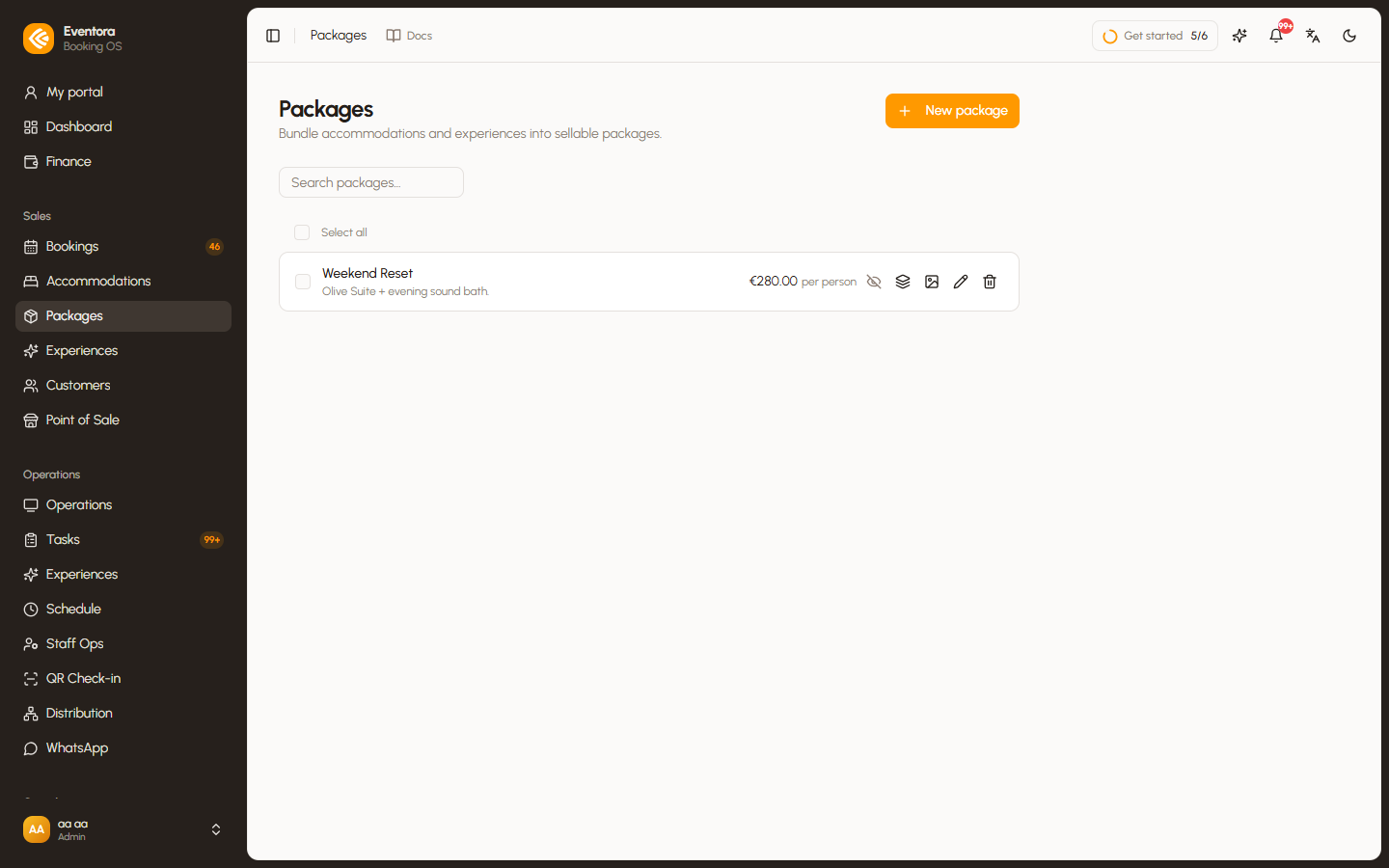
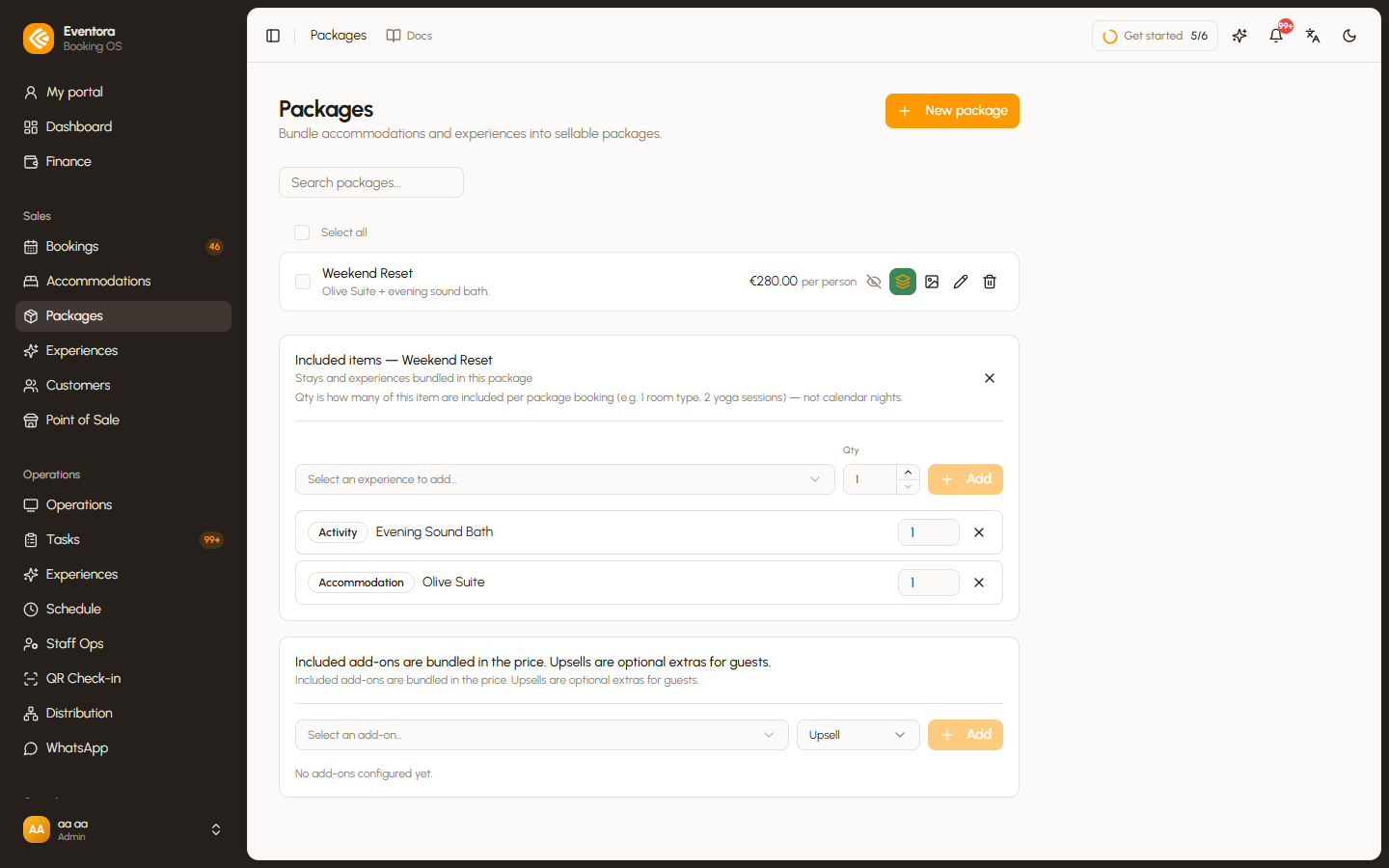
Sidebar → Packages → New package
- Name it like a product: “7-day Surf & Stay — Sep”
- Package price (per person + Public by default)
- Save → layers icon (Manage included items) → add the accommodation (and the experience if it should be included)
- Optional paid add-ons live in Package Addons on the same screen
Deeper reference
5. Take money + set a simple refund rule
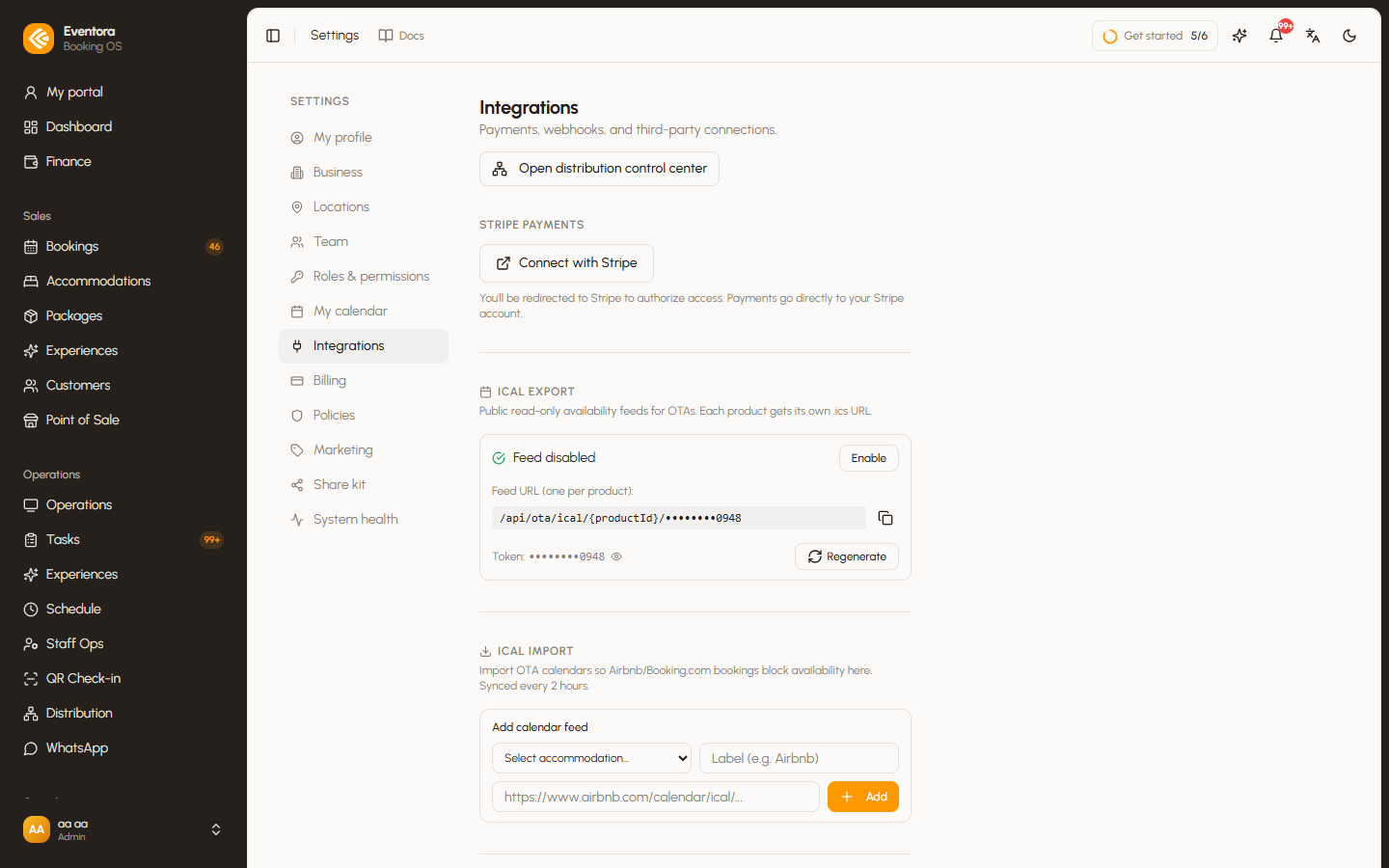
- Settings → Integrations → Connect Stripe
- Settings → Policies → one clear rule (e.g. full refund until 14 days before)
Deeper reference
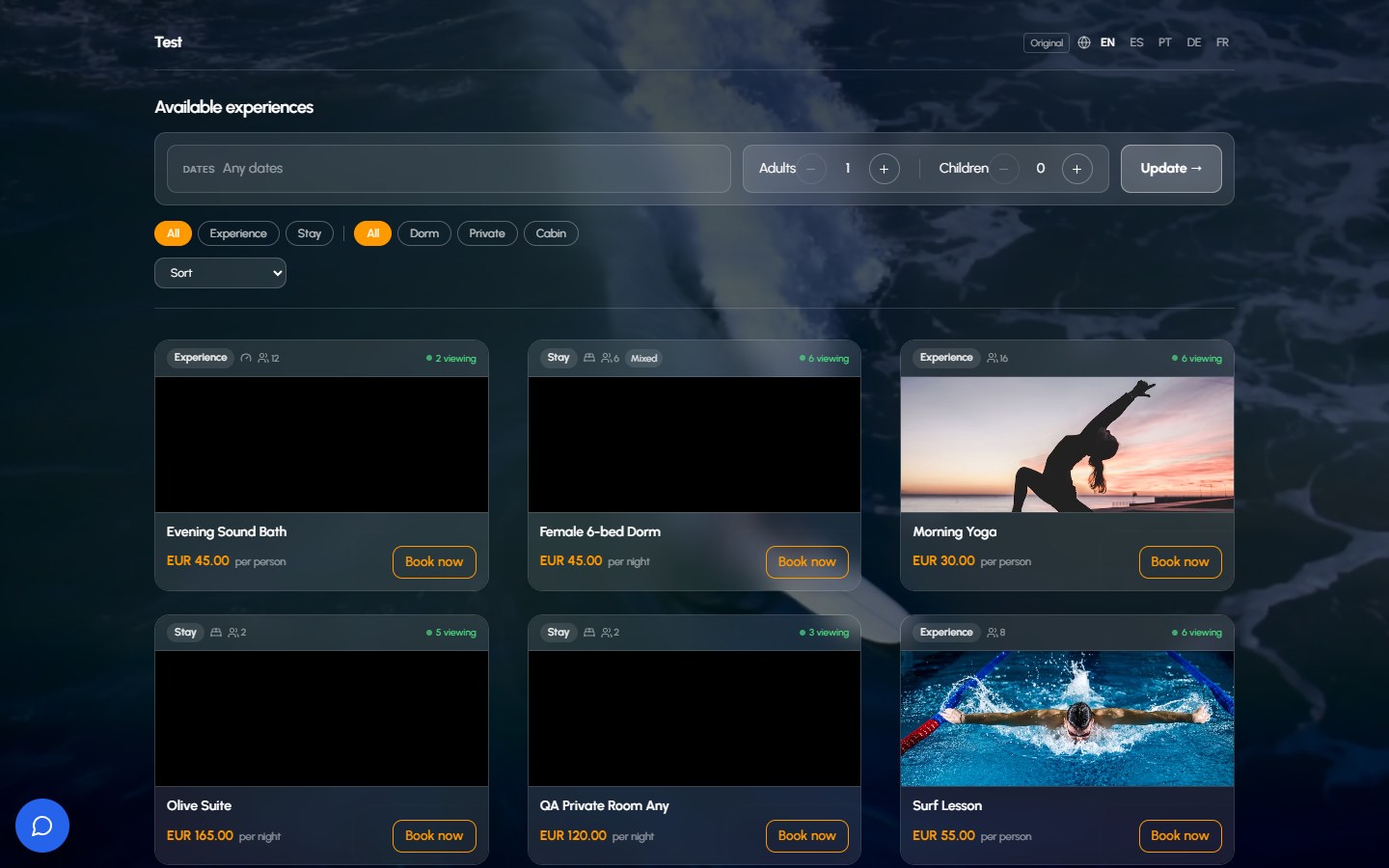
6. Book it yourself as a guest
Open:
https://app.eventora.ai/book/<your-slug>- or
https://<your-slug>.eventora.ai
Complete dates → details → pay. Then open Bookings in the app and confirm the reservation appears.
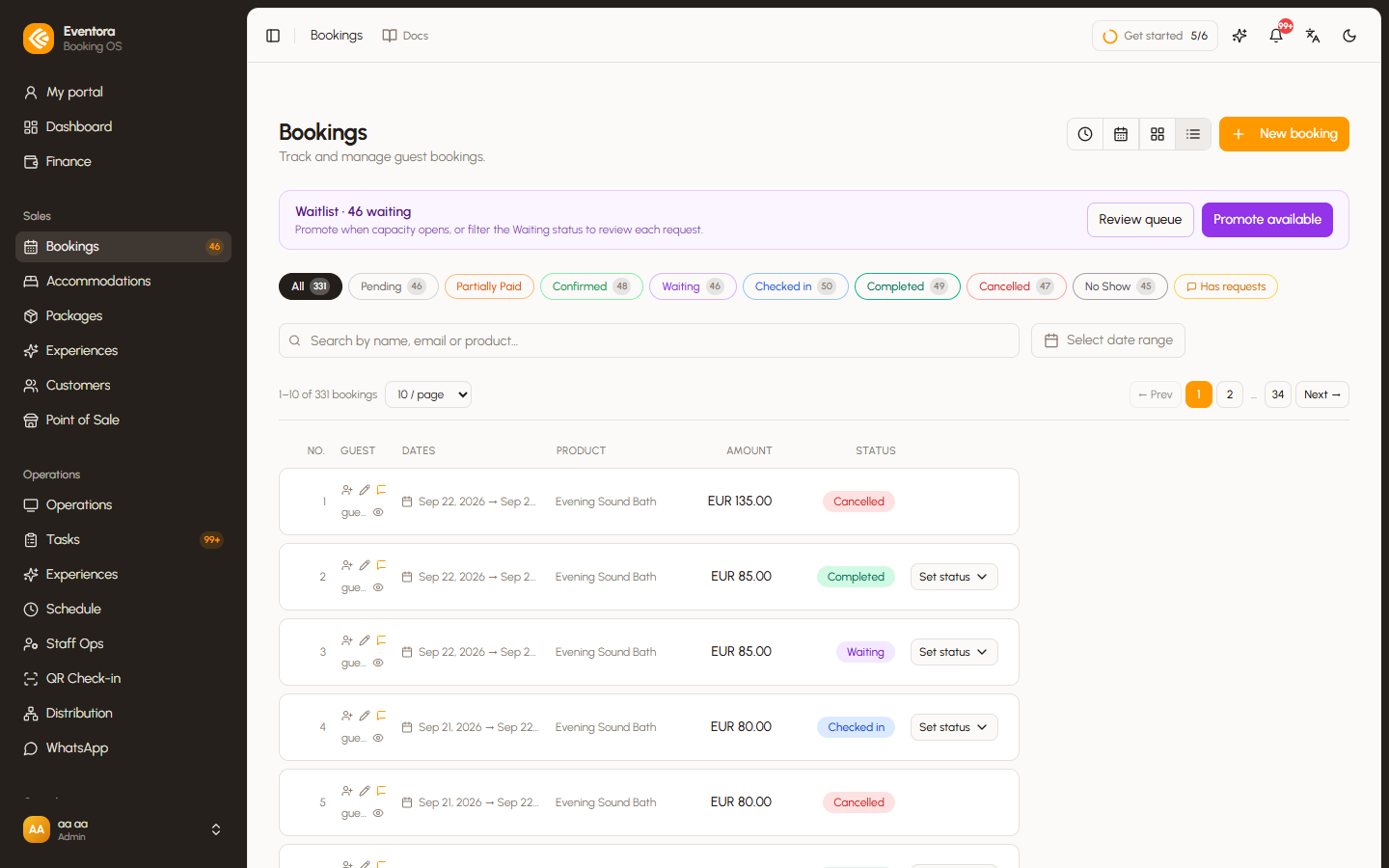
Nothing bookable? Check visibility (Public), experience schedules, and Stripe for paid checkout.
Deeper reference
Done — what to ignore for now
| Leave alone | Why |
|---|---|
| Website builder, WhatsApp, campaigns, AI | After direct bookings work — see Grow after you’re live |
| Finance tabs | Useful after money moves — see Collect & close |
| Full team / custom roles | Add staff when someone else will check guests in |
Next playbook
When real guests arrive: Run arrival day
Also useful: Onboarding checklist · First retreat (timed)