
Memberships & class packages
Memberships is available on the Classes & workshops vertical when the memberships capability pack is enabled. If you don’t see it in the sidebar, check Settings → Business (vertical profile) or ask support to enable the pack.
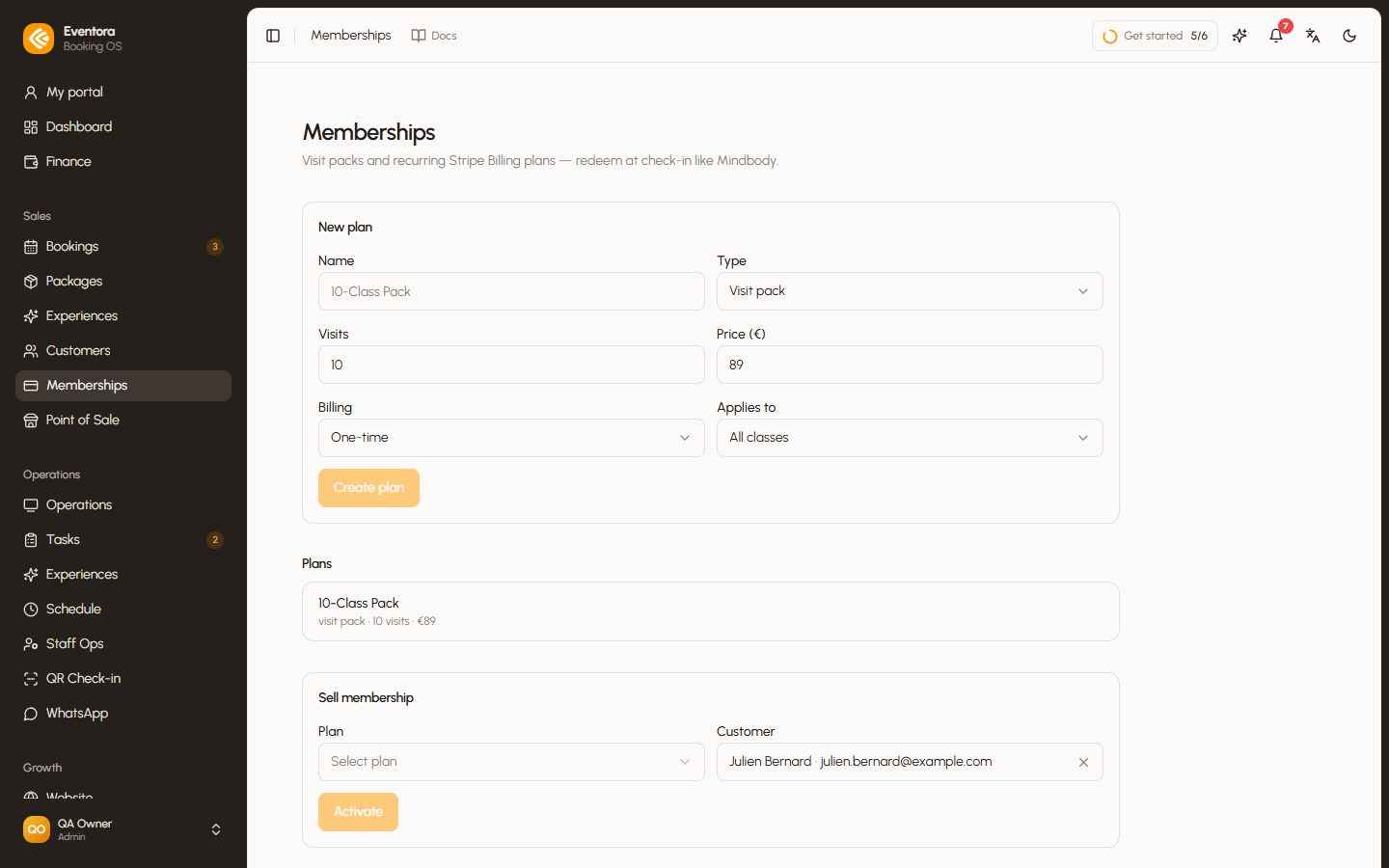
If your business is on a different vertical (retreat, hospitality, appointment, rental), opening /memberships shows a plain "Not available" screen instead of an error.
Plan types
A plan has two independent settings: type (what the guest gets) and billing interval (how it's paid).
| Type | What the guest gets |
|---|---|
| Visit pack | A fixed number of visit credits (set the visit count) |
| Unlimited | Unlimited access, no credit tracking |
| Credit wallet | A monetary credit balance (set the credit amount) |
| Billing interval | Payment |
|---|---|
| One-time | Activated directly by staff (no Stripe redirect) — pair with cash/comp sales or a payment collected elsewhere |
| Monthly / Yearly | Redirects to a Stripe-hosted checkout; Eventora webhooks activate the membership and sync renewals |
Any type can be paired with any billing interval — e.g. a Visit pack billed monthly, or an Unlimited plan billed one-time. One-time plans get a fixed 90-day validity window; recurring plans have no validity cap (governed by the Stripe subscription instead).
Plans also have an Applies to scope: All classes, All services, Everything, or Selected products. Note: choosing Selected products doesn't currently show a product picker in the UI — there's no way to actually narrow the scope despite the option existing, so treat "Selected products" as a known gap rather than a working workflow today.
Create plans under Memberships → New plan (name, type, price, currency, billing interval, applies-to scope, active toggle).
Selling a membership
Staff pick an active plan and search/select a customer by name or email. The button label changes based on billing:
- One-time plans: an Activate button — the membership is active immediately, no Stripe involved.
- Monthly/yearly plans: a Start Stripe Billing checkout button, which redirects to a Stripe-hosted checkout page. Once payment completes, Eventora's webhook activates the membership.
Membership summary and redeeming visits
Selecting a customer surfaces a Membership summary: active membership count and total visits remaining, plus a per-subscription list (plan name, status, visits left).
An optional note field plus a Redeem visit button records a visit against the customer's membership — this is customer-scoped, not tied to a specific booking or class session from this screen.
A separate, paginated subscriptions list shows all active/recent memberships (guest name, plan, status, visits remaining, end date), independent of which customer is currently selected.
Real-world scenario
A yoga studio sells a 10-visit pack to a walk-in for cash. Staff select the plan and customer, click Activate (no Stripe involved), then each time she attends a class, staff pull up her profile and click Redeem visit, watching "Visits remaining" count down from 10.