
Schedules & Availability
Whether a product needs an explicit schedule depends on its type — accommodations and experiences work differently here.
Accommodations — no schedule needed
Accommodations don't have a weekly schedule at all. Once an accommodation is saved and set Public, it's bookable on any date, subject only to capacity and existing bookings — there's no separate "availability window" to configure.
The calendar icon on an accommodation's row opens a Check-in / Check-out times panel — standard arrival/departure times shown to guests (defaults to 14:00 / 11:00). This doesn't affect which dates are bookable.
To stop an accommodation from being booked, set it to Hidden rather than looking for a schedule to remove.
Experiences — weekly schedule required
For experiences and activities, the calendar icon on the product's row opens the schedule panel — and this one genuinely controls bookability: without at least one schedule entry, the experience has no bookable time slots at all.
After you create a new experience, the schedule panel opens automatically with a reminder to add weekly hours (guests can’t book until you do).
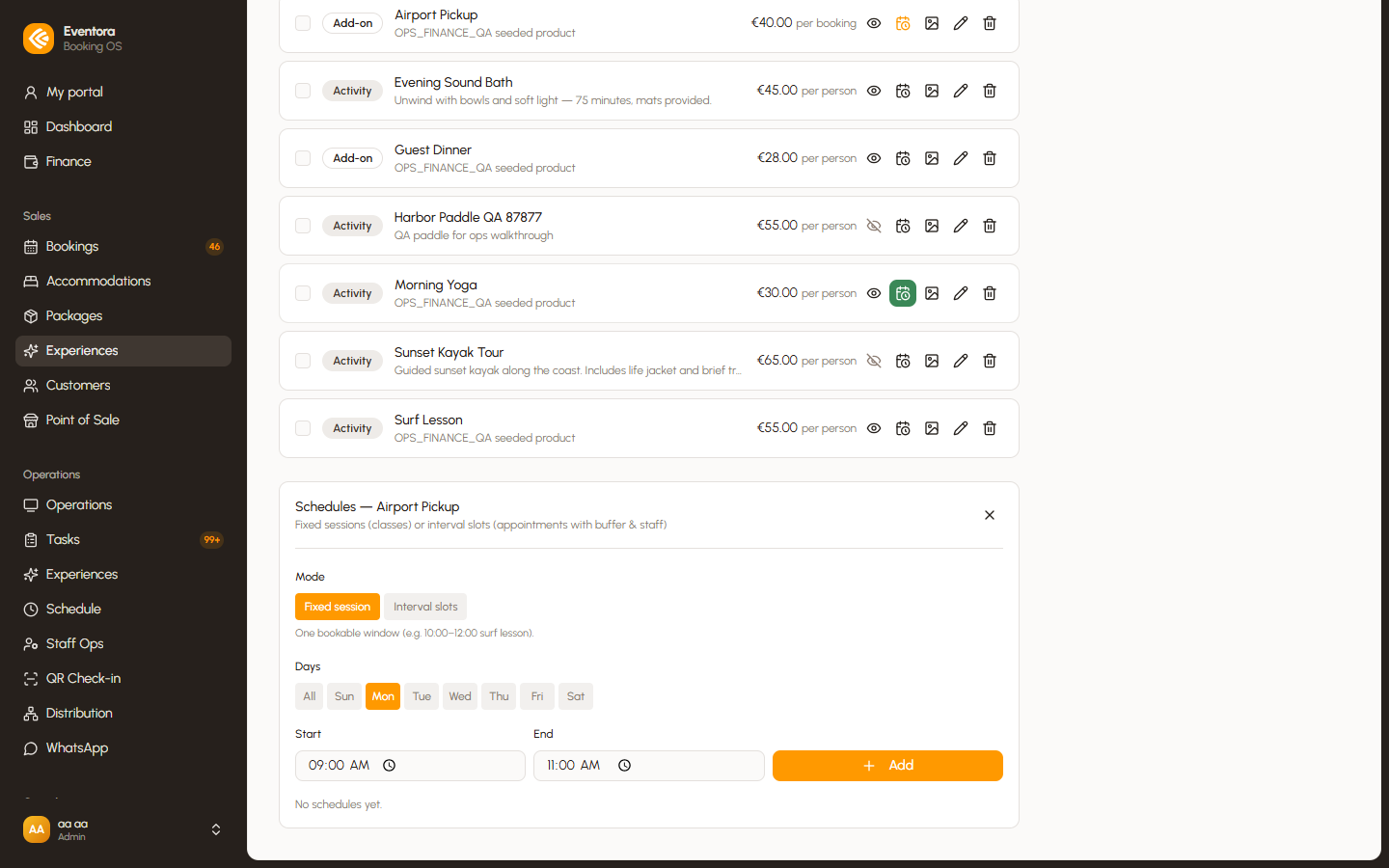
- Click the calendar icon on the experience's row (or finish creating a new experience)
- Pick a mode:
- Fixed session — one bookable window per day (e.g. a 10:00–12:00 surf lesson)
- Interval slots — open hours auto-split into bookable slots by duration + buffer (e.g. 30-min appointments with a 10-min buffer between them)
- Select the days of the week it runs (or All)
- Set the time range (and, for interval slots, the slot duration and buffer)
- Click Add
You can add multiple entries — e.g. different days/times for weekdays vs. weekends, or a mix of fixed sessions and interval slots on the same product.
Guests will only see and be able to book slots that match an active schedule entry.
Blocking specific dates
There's currently no dashboard UI for blackout dates (the API supports them, but nothing in the app surfaces it yet). To block a period today:
- Accommodation — set it Hidden for that stretch, or create a manual internal booking to occupy the dates
- Experience — remove the relevant schedule entry, or create a manual internal booking against the time slot
Tips
- Set experience Duration (hours) on the product (hours, not minutes) so Operations sessions and interval-slot math stay correct.
- Building a package? Add the experience's schedule before testing the package — a package that includes an experience with no schedule will look bookable but have no actual time slots to pick.
- If guests report a product isn't bookable on a date you expect, check: is it Public, and (for experiences) does a schedule entry actually cover that day/time?