
Packages
Packages are the main thing most retreat guests buy — a multi-day program that can bundle stays, experiences, and add-ons into one price.
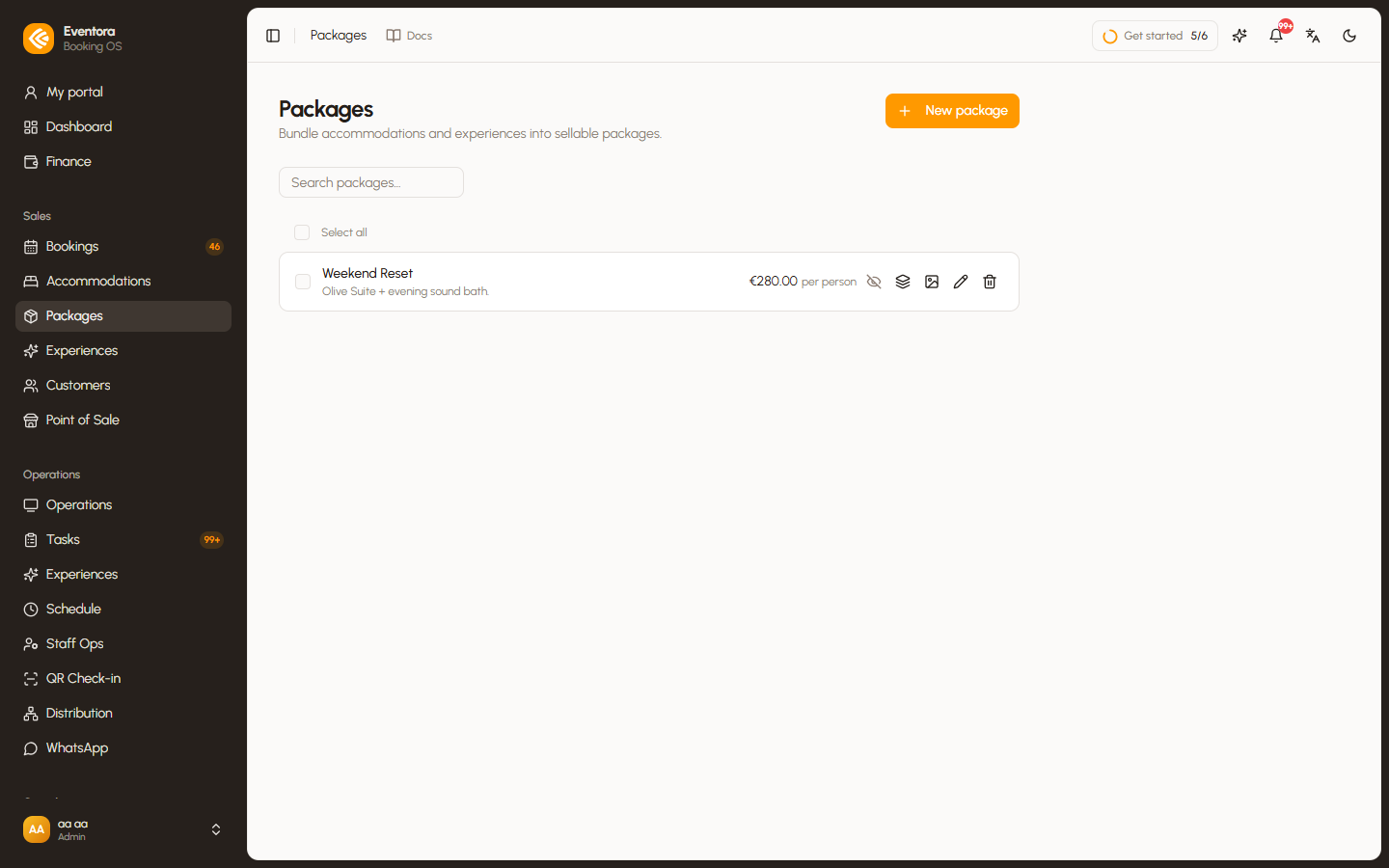
Where to create them
In the app sidebar open Packages (its own item — not under Products).
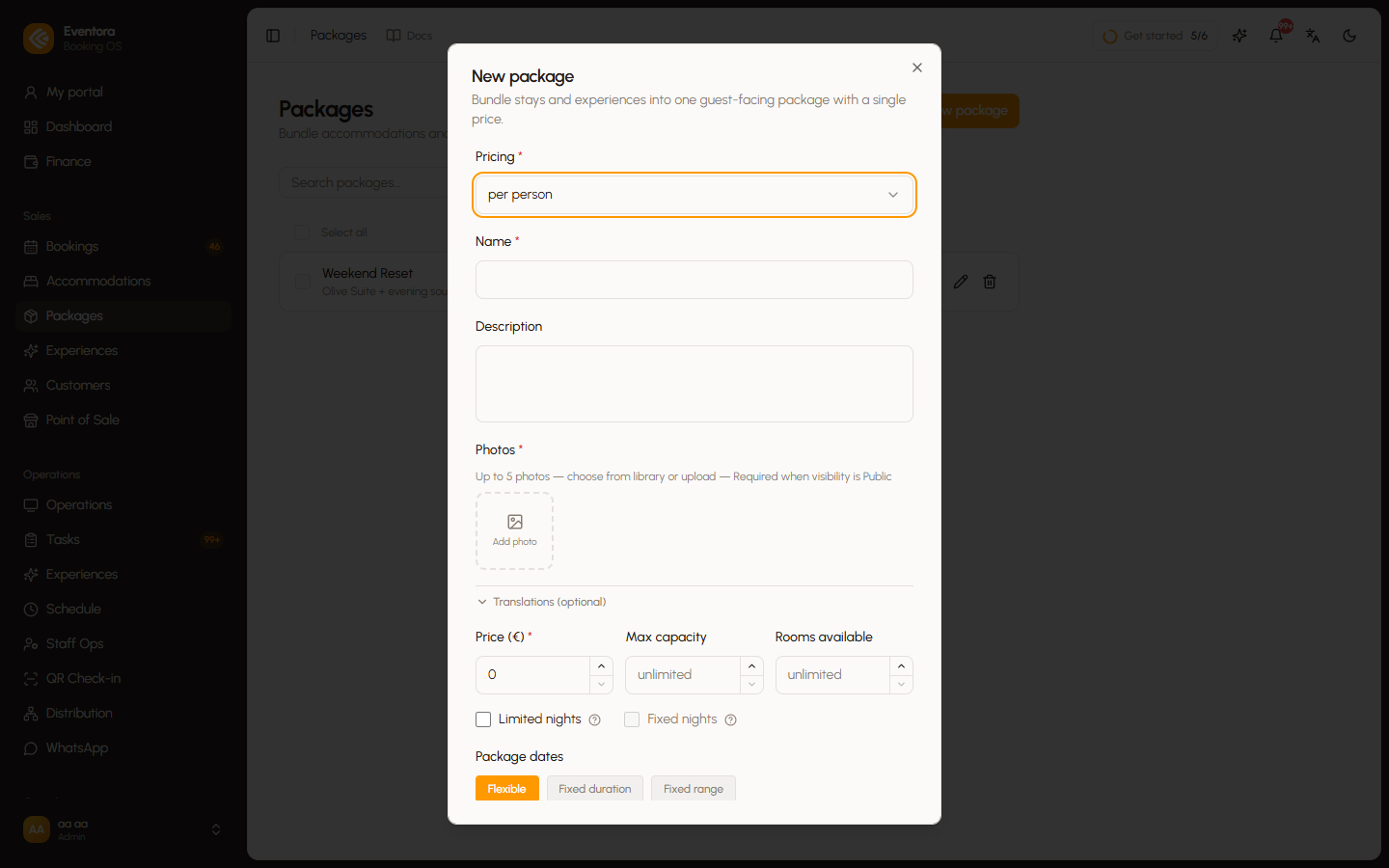
- Click New package
- Name it for guests (e.g. “Yoga Immersion — 7 days”)
- Set the package price (what the guest pays overall) — defaults to per person and Public
- Add a photo if the package is Public (or save as Hidden first)
- Save, then use the panels on the package row to attach components — they behave differently, so pick the right one:
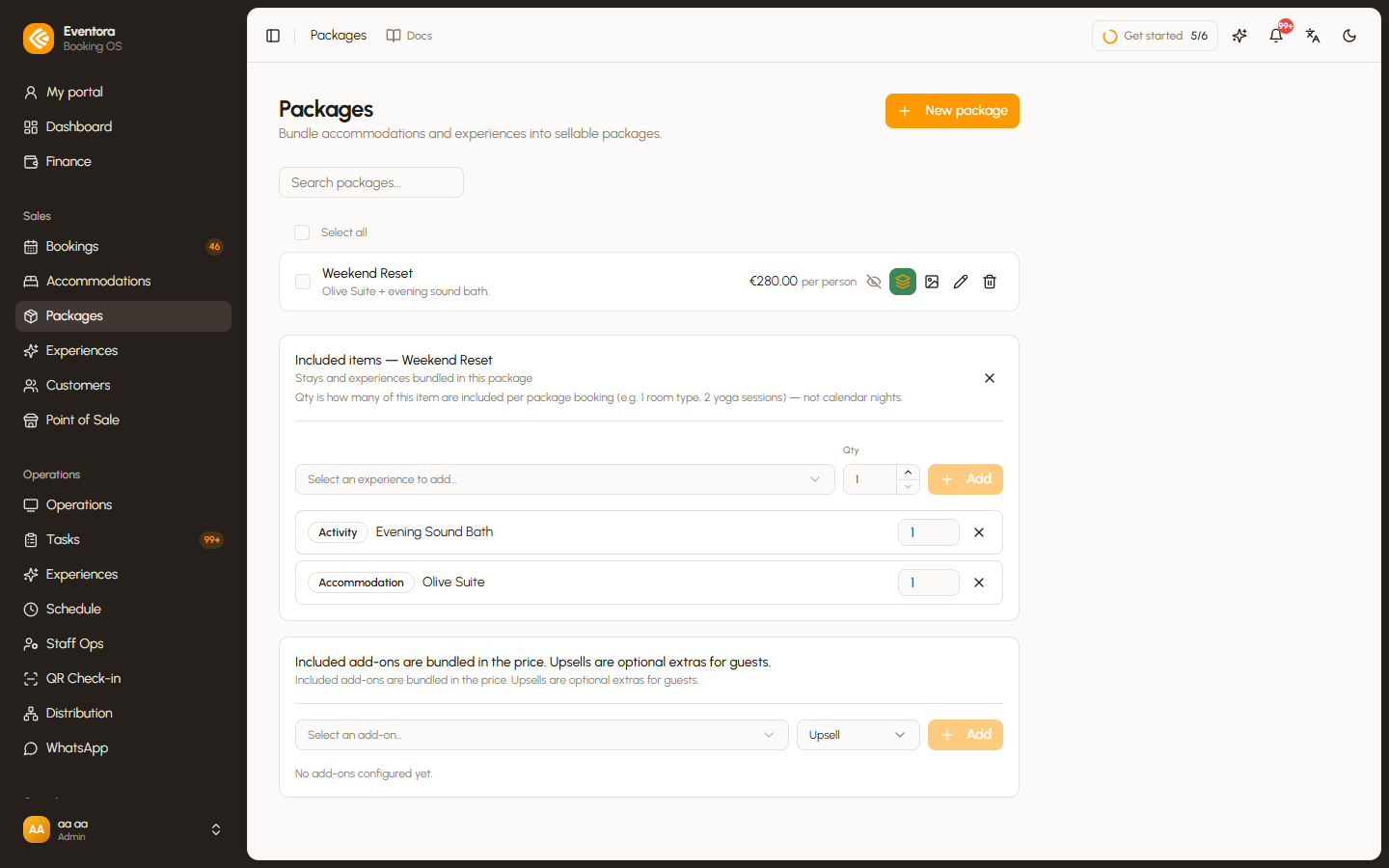
- Included items (layers icon): add accommodations and/or experiences. Everything added here is always required — there is no per-item optional toggle. Qty is how many of that item are included per package booking (e.g. 1 room type, 2 yoga sessions) — it is not calendar nights. You can change qty when adding, or edit qty on an existing row (blur to save).
- Package Addons (further down the same screen): add standalone
add_on-type products only. Each one can be set to Included (bundled, no extra cost) or Upsell (optional, extra cost) — this is the only place "optional" actually exists for a package.
- Set dates / capacity as the form asks
- Keep the package Public so it appears on the booking page
If the package includes an experience, make sure it has a weekly schedule — without one, the experience (and the package) will look bookable but have no actual time slots. Accommodations don't need a schedule.
Deleting a package uses the same in-app confirm dialog as other catalog items — see Accommodations & Experiences.
Suggested first package
For a first launch, keep it simple:
- One accommodation type
- One experience (required — added via Included items, same as the accommodation)
- One package that includes both
Walkthrough: First retreat in 30 minutes.
Use cases
- Weekend retreat — 2 nights + welcome dinner + workshop
- Surf camp week — dorm or room + daily lessons + board rental
- Teacher training — multi-week stay + curriculum sessions
How packages affect availability
When a package is booked, included accommodations are occupied for those dates. Included experiences count against their capacity.
Pricing
Package price is independent of component list prices. Set the guest-facing total on the package itself (bundled rate).
AI dynamic packages
When shared inventory is nearly full and private rooms lag, AI Recommendations may propose a short-lived Dynamic package. Approving the card creates a Public package in this list (name like “Fill boost: …”) with a package end date. Review or unpublish it like any other package.
Guest booking
Guests book via your public booking page, including package deep links:
https://app.eventora.ai/book/<slug>/packages/<package-id>