
Tags & Segmentation
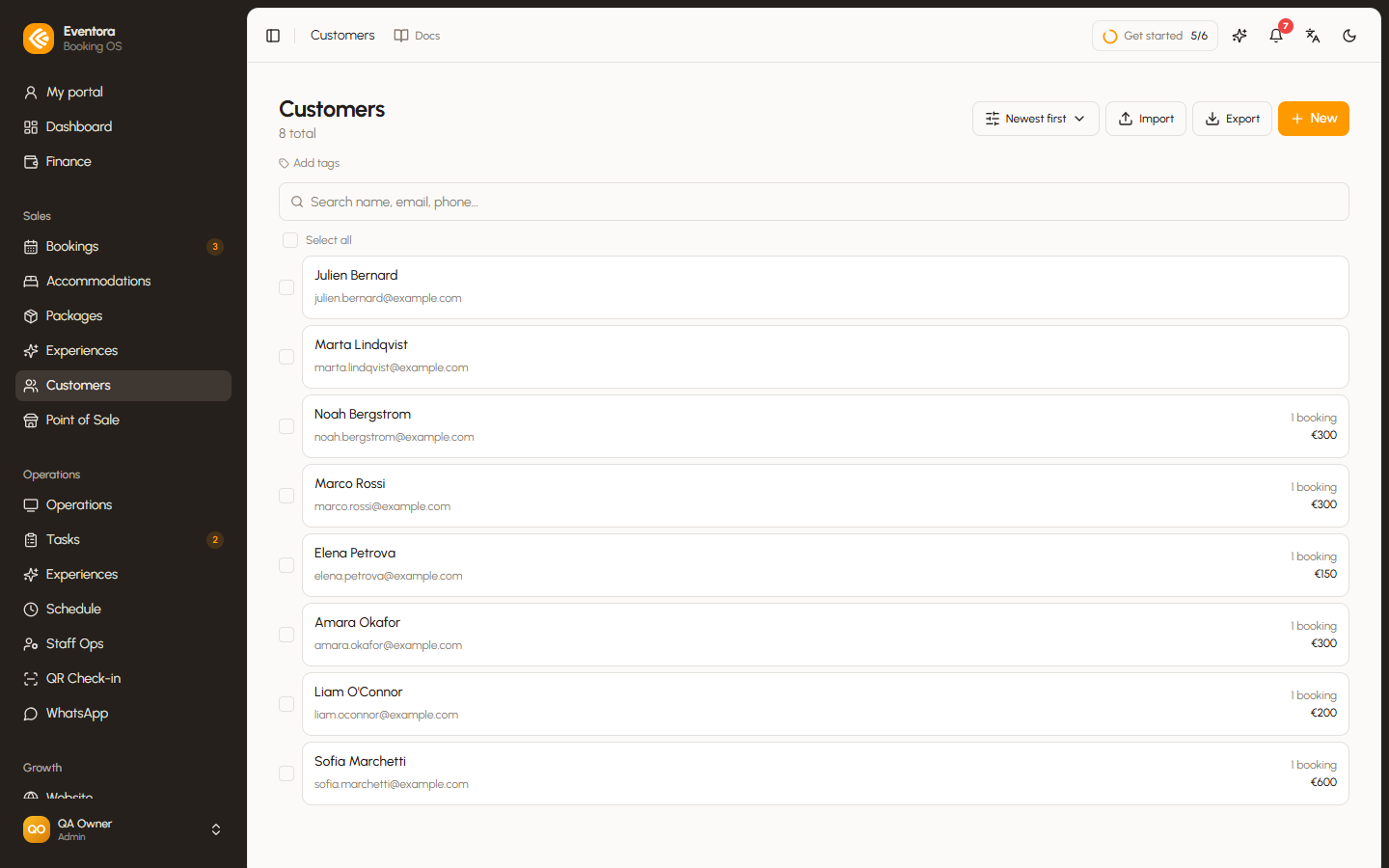
Tags let you categorize guests for filtering, reporting, and targeted email campaigns. Tags live entirely inside the Customers page — there's no separate tags page.
Creating tags
Open Customers → Manage tags. Enter a name and pick one of 10 preset colors (free-form hex isn't supported). Tags are business-wide, not per-location or per-user — everyone on the team sees the same tag set.
Assigning tags
- Single customer: open the customer's profile panel → Tags section → pick from unassigned tags, or jump to Manage tags if none exist yet.
- Bulk: select multiple rows in the customer list, choose the Add tag bulk action, pick one tag, apply. Only one tag can be bulk-applied per action — there's no bulk unassign.
Removing a tag from one customer is a single click on the tag pill in their profile; it doesn't delete the tag itself.
Filtering by tag
A tag-filter bar sits above the customer list — click a tag to filter the list to it (click again to clear). Useful for:
- Viewing all VIP guests before a busy weekend
- Finding guests who opted in for a specific program
- Identifying corporate clients for invoicing
Tag management
From Manage tags you can add new tags and delete existing ones. There is no rename or recolor action — deleting and recreating a tag is the only way to change its name or color.
Using tags in email campaigns
When composing an email campaign, the audience selector includes a tag field — selecting a tag scopes the send to customers holding it. The recipient count is shown next to a refresh button; it's a manual recount, not live/auto-updating.
Recommended tag examples
| Tag | Use case |
|---|---|
| VIP | High-value repeat guests |
| Newsletter | Guests who requested marketing emails |
| Corporate | Business travel clients |
| Repeat Guest | Guests with 2+ stays |
| Local | Guests from the local area |
Real-world scenario
Before a busy retreat weekend, a manager bulk-selects last month's first-time bookers and applies the "Repeat Guest" tag, then filters the list by "VIP" to check which of them also qualify for a loyalty perk — then builds an email campaign targeted only at the "VIP" tag and refreshes the recipient count before sending.