
Business Settings
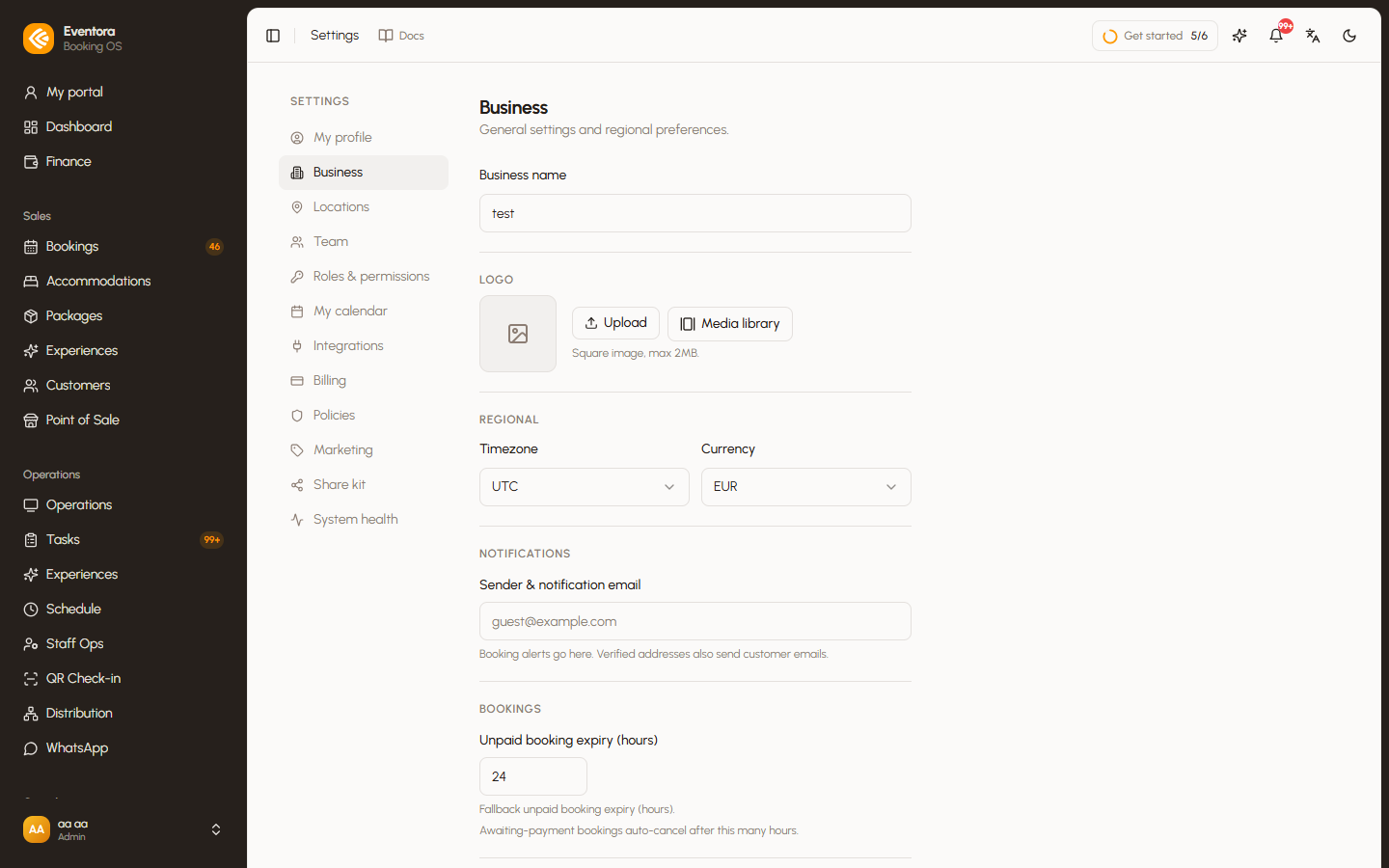
Go to Settings → Business to configure the core details of your Eventora account.
Business name
Business name — displayed on the booking page and in guest communications.
Your booking page slug (e.g., my-hotel → app.eventora.ai/book/my-hotel) is set per-location under Settings → Locations, not here.
Regional preferences
| Setting | Options |
|---|---|
| Timezone | 40+ timezones — set to where your property is located |
| Currency | EUR, USD, GBP, BRL, AUD, CAD, CHF, JPY |
Choose the timezone and currency before going live. Changing currency after you have active bookings can cause inconsistencies in historical reports.
Email configuration
Set the notification email address — this is the From address used for all automated guest emails (booking confirmations, payment links, review requests).
Email verification
After entering or changing the notification email, a verification email is sent to that address. Click the link in the email to verify it. Unverified addresses cannot send guest emails.
Tax / VAT
Set a tax name (e.g. "VAT"), a tax rate (0–100%), and whether prices are tax-inclusive or exclusive. Once configured, this rate is applied wherever tax is shown — see Finance for how it appears on charges.
Liability waivers
Enable a liability waiver that guests must sign. When enabled, set:
- Waiver title and content
- Whether it applies to all products or only selected products
Once active, a banner shows the count of unsigned waivers, with a Remind all action to re-send the request to guests who haven't signed yet.
Booking expiration
Set how long a Pending booking stays active before expiring automatically. For example, if set to 24 hours, guests have 24 hours to complete payment before the booking is released.
Set to None to disable automatic expiration.
Owner voice (AI agent tone)
Optional opt-in under Settings → Business:
- Turn on Use owner voice style pack to style the WhatsApp / web-chat agent from recent staff outbound replies.
- The pack rebuilds when you opt in (needs a few real outbound messages).
- Has no effect while the platform
ai_agentfeature flag is off (agent hands off instead).
Details: AI Recommendations.