
Booking Statuses
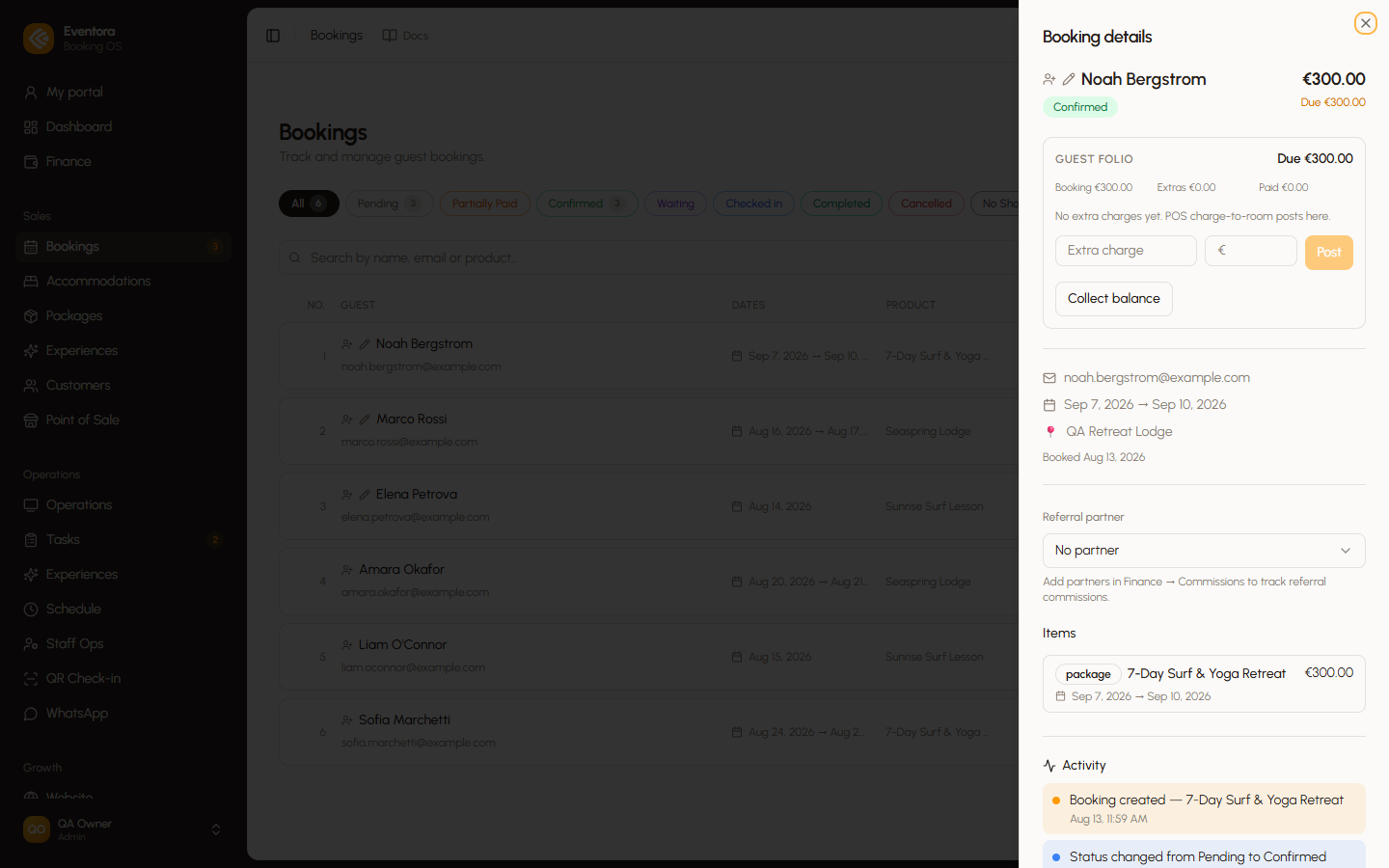
Every booking moves through a defined set of statuses. Understanding the workflow helps you manage guest expectations and payment collection correctly.
Status lifecycle
Pending → Awaiting Payment → Deposit Paid → Confirmed → Checked In → Completed
                                                    ↘
                                                  Cancelled
Status descriptions
| Status | Meaning |
|---|---|
| Pending | Booking has been created but not yet confirmed or paid. Subject to expiration if the business has set a booking expiration window. |
| Awaiting Payment | A payment link has been sent to the guest. Waiting for them to complete payment. |
| Deposit Paid | The guest has paid a deposit. Remaining balance is due before or at check-in. |
| Confirmed | Payment is complete and the booking is confirmed. Guest should receive a confirmation email. |
| Checked In | The guest has arrived and is currently at the property. |
| Completed | The guest has checked out. A post-stay review request is triggered automatically. |
| Cancelled | The booking has been cancelled. If a refund is applicable, it is calculated based on the active cancellation policy. |
| No Show | The guest never arrived for a Confirmed or Checked-In booking. Can be reopened back to Confirmed if it was marked in error, or cancelled. |
Changing a status
Open the booking detail panel and use the Status dropdown. Not all transitions are available from every status — the system enforces a valid workflow.
Most statuses can also move backward as well as forward (e.g. a mis-clicked Confirmed can return to Awaiting Payment) — the table above shows the typical path, not the only one. Cancelled bookings can only be reopened by moving back to Pending.
Cancellations and refunds
When cancelling a booking, Eventora automatically calculates the refund amount based on your configured cancellation policy (days before arrival). You can review and confirm the refund amount before processing.
Booking expiration
Pending bookings can expire automatically after a defined period. Configure the expiration window in Settings → Business.
Real-world scenario
A guest books online and pays a deposit only, so the booking starts at Pending while the request is created, then moves to Deposit Paid once payment lands. Two weeks later, staff record the remaining balance and move it to Confirmed. On arrival day, staff open the booking detail panel and set Checked In. At checkout, moving it to Completed triggers the automatic post-stay review request.