
Accommodations & Experiences
In the app sidebar these are split into Accommodations, Packages, and Experiences (activities / add-ons).
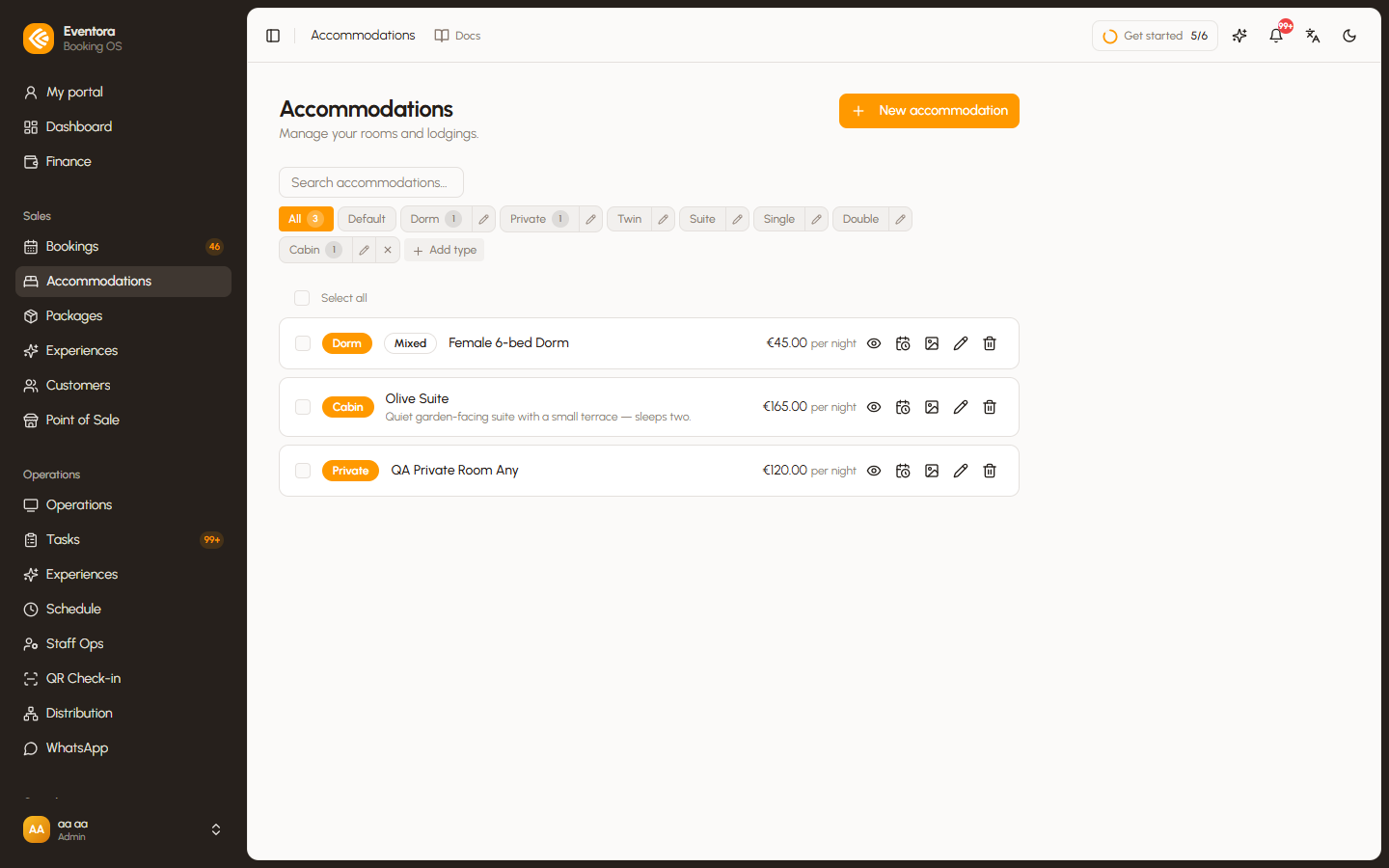
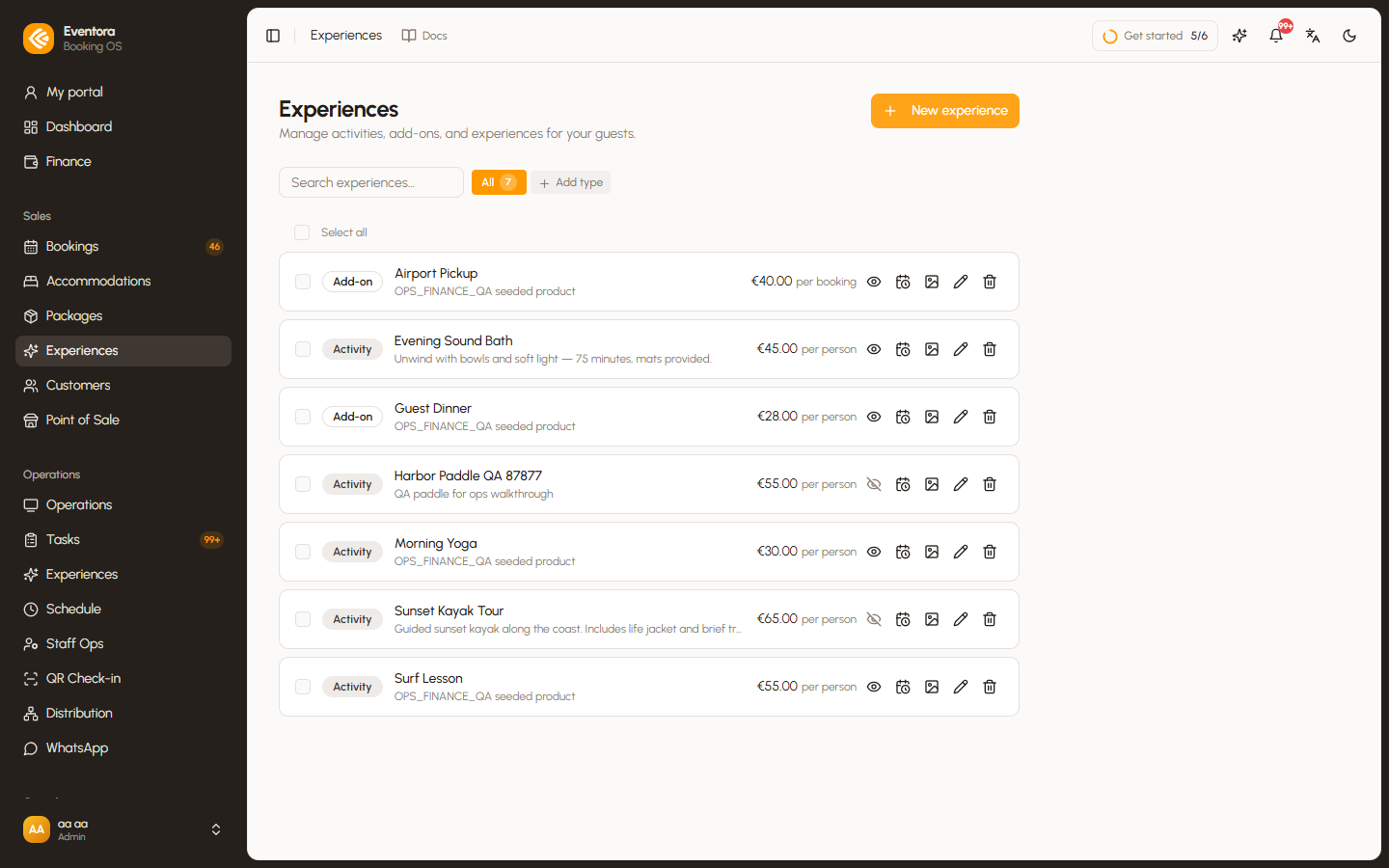
| Nav item | What it is |
|---|---|
| Accommodations | Rooms, beds, villas, tents — stay inventory |
| Experiences | Lessons, sessions, add-ons |
| Packages | Multi-day programs bundling stays + activities — see Packages |
Product types
| Type | Examples |
|---|---|
| Accommodation | Room, chalet, villa, glamping tent, dorm bed |
| Experience | Surf lesson, yoga session, hike, workshop |
| Add-on | Transfer, meal plan, board rental |
| Package | 7-day immersion, TT, weekend retreat |
Creating inventory
Use the matching sidebar item:
| Sidebar | Button |
|---|---|
| Accommodations | New accommodation (or Create your first accommodation when empty) |
| Experiences | New experience |
| Packages | New package — see Packages |
- Open the right sidebar page
- Click the New … button
- Fill in the required fields and Save
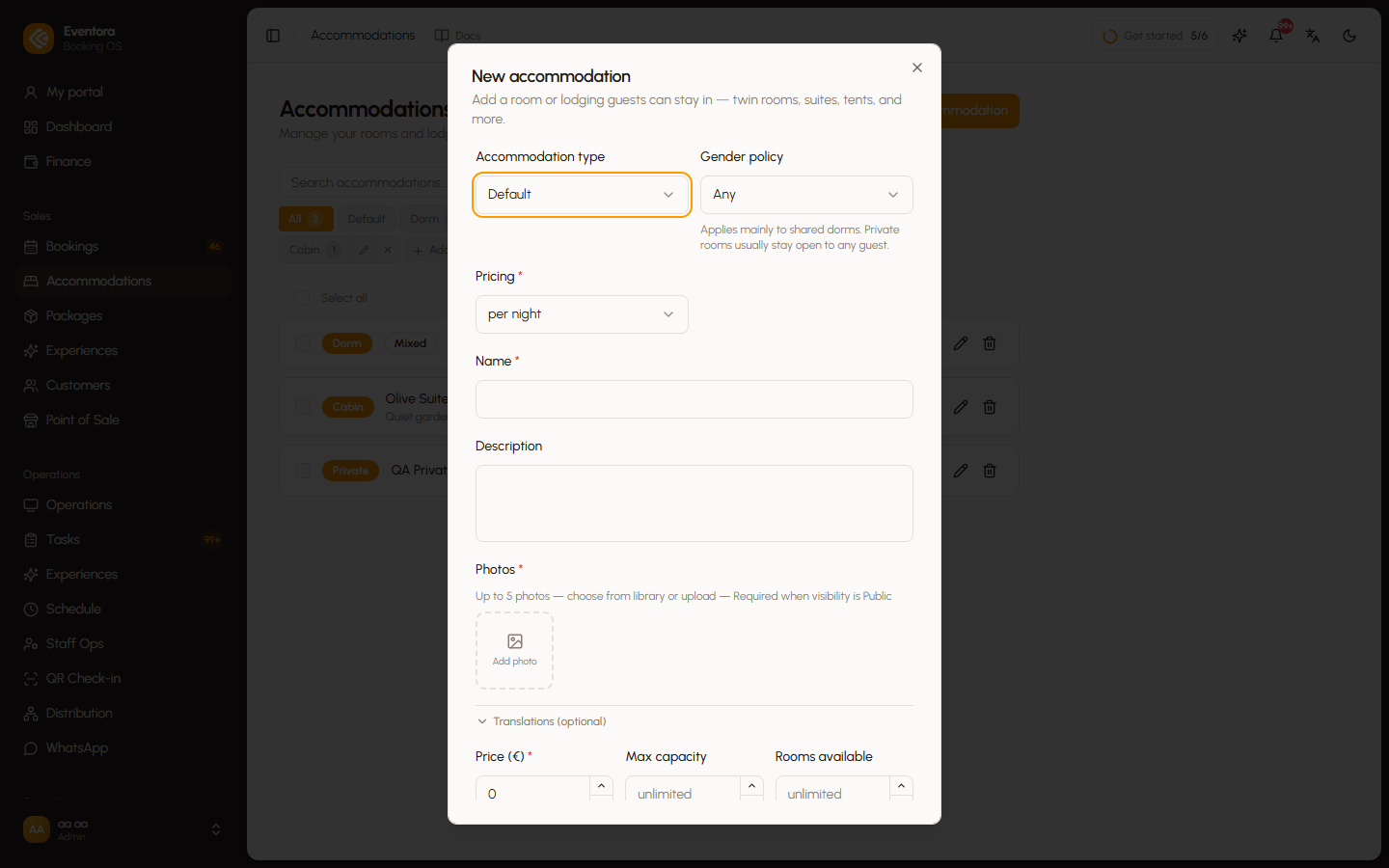
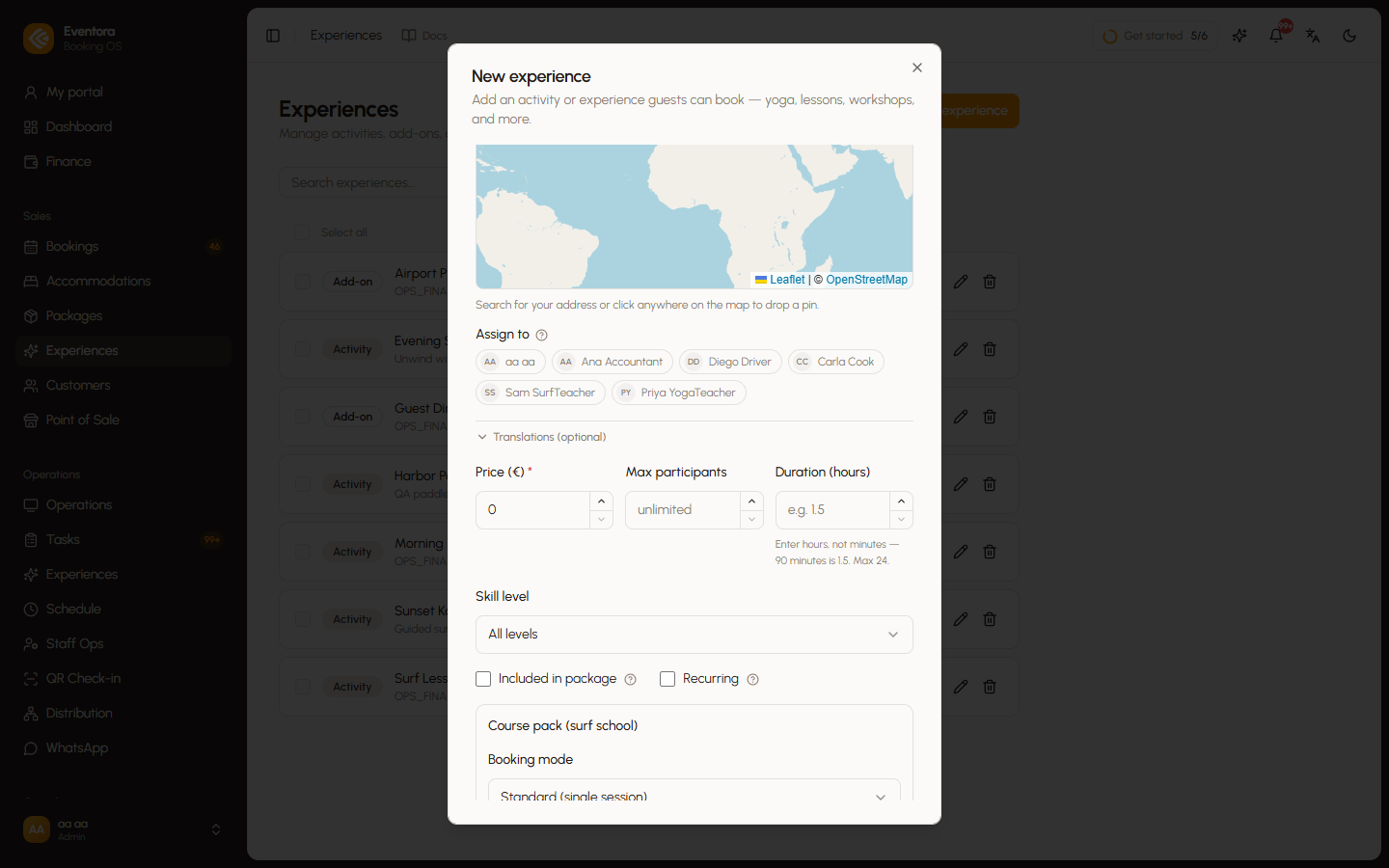
Basic info
- Name — displayed to guests on the booking page
- Description — shown in product detail view
- Type — usually locked to the page you’re on (accommodation / experience / package)
- Visibility — Public (booking page) or Hidden (draft)
- Sort order — controls display order on the booking page
Experience duration
For experiences, set Duration (hours) — enter hours, not minutes (e.g. a 90-minute paddle is 1.5, max 24). This drives session length in Operations and payroll estimates. After you save a new experience, add a weekly schedule or guests cannot book slots.
Pricing
Defaults when you click New …:
| Page | Default pricing | Default visibility |
|---|---|---|
| Accommodations | Per night | Public |
| Experiences | Per person | Public |
| Packages | Per person | Public |
You can change either before saving. Choose a pricing model:
| Model | When to use |
|---|---|
| Per booking | Fixed price regardless of guests or nights |
| Per person | Price multiplied by guest count |
| Per night | Price multiplied by number of nights |
| Per night per person | Price multiplied by nights × guests |
Capacity
Set the maximum number of guests the product can accommodate. This is used to calculate availability and validate booking requests.
Images
Upload up to 5 images per product. Maximum file size: 50 MB per image. Any image file type is accepted.
- Public products need at least one photo (the form says Required when visibility is Public).
- Hidden drafts can be saved without a photo — add one before you make them public.
- After you pick a photo once, Use last photo reuses it on the next product.
Advanced
Channex room type ID and tax override live under Advanced so first-time setup stays focused on name, price, and photos.
Accommodation types
If you have no accommodation types yet, New accommodation (or the empty-state CTA) asks you to name a type first (e.g. Twin Room), then opens the room form. You can also use Add type on the list, then create the room.
Layout types (Dorm, Private, Cabin, etc.) describe the room style. Separately, each accommodation can set a Gender policy:
| Policy | Meaning |
|---|---|
| Any | Open to any guest (default; typical for private rooms) |
| Female | Female-only (common for shared dorms) |
| Male | Male-only |
| Mixed | Explicitly mixed shared space |
Guests see Female only / Male only / Mixed on the public booking card when the policy is not Any. This is informational in v1 — it does not collect guest gender or block bookings by gender.
Editing and deleting products
Use the pencil icon on a row to edit.
To delete, use the trash icon. The app asks you to confirm in a dialog (not a browser popup):
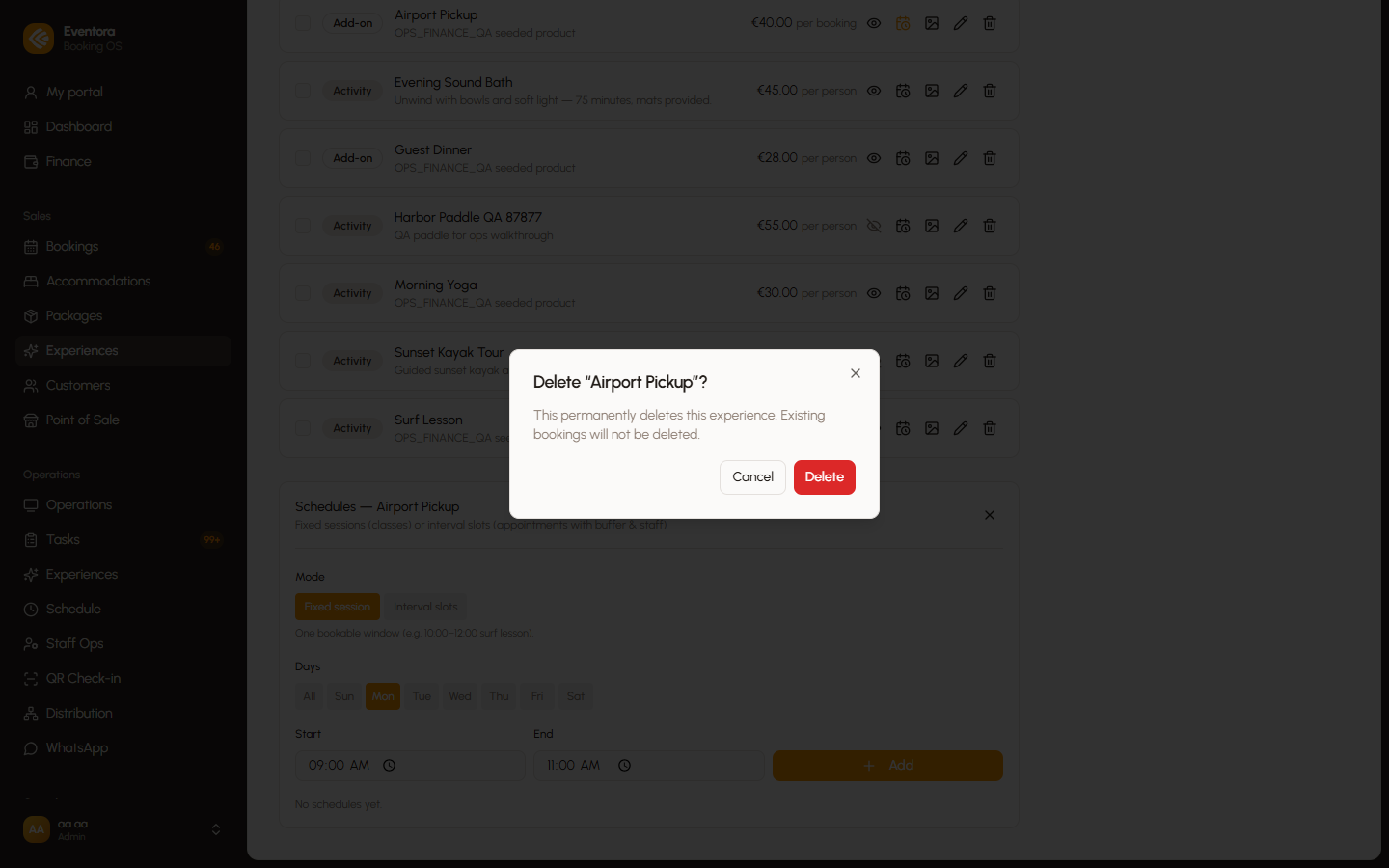
- Cancel / Escape closes the dialog and keeps the product.
- Delete permanently removes it. Existing bookings are not deleted.
Deleting a product with active bookings is blocked — the app returns "Cannot delete a product that has active bookings". To retire a product that already has bookings, set it to Hidden instead; it stays off the public booking page and existing bookings are unaffected.
Bulk select → Delete uses the same style of confirmation for multiple items.
Related
- Vertical packs — terminology, nav, and capability presets
- Memberships — class plans & Stripe Billing
- Packages
- Schedules & Availability