
Pipeline (CRM)
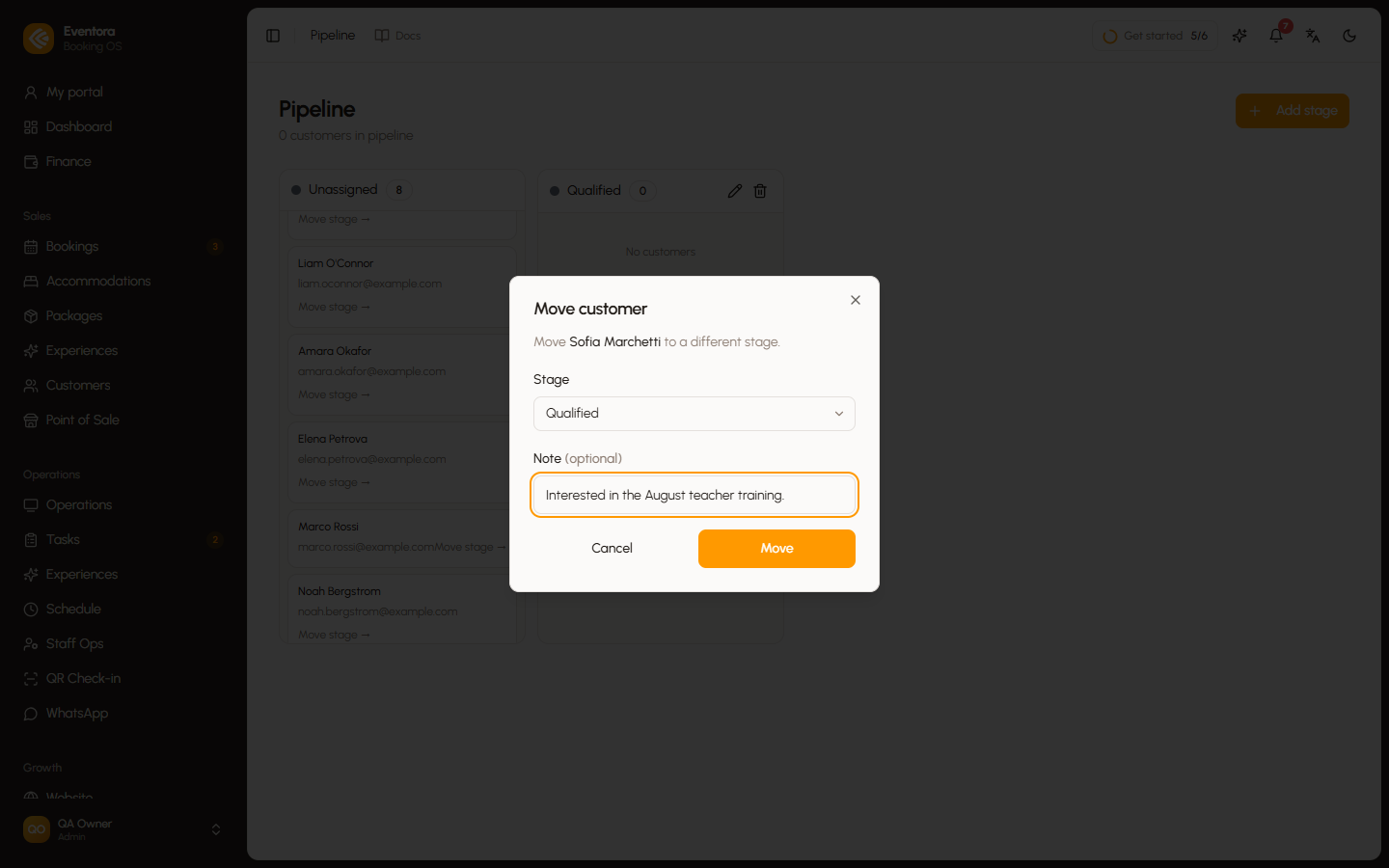
Pipeline is a simple CRM board for retreat sales — leads and opportunities moving toward booked programs.
Use it when you sell high-touch packages (teacher trainings, private groups, corporate retreats) that need follow-up before a booking exists.
Open Pipeline from the Growth section.
Stages
Every customer sits in a column: Unassigned (no stage set) plus one column per stage you create. Each column header shows a colored dot, the stage name, and a customer count; stages you create also get edit (pencil) and delete (trash) icons.
Click + Add stage to create one — pick a name and a color from 9 preset swatches. Existing stages can be renamed or recolored the same way via the pencil icon.
Moving a customer
Click Move stage → on any customer card to open the Move customer dialog: pick a target stage from the dropdown (or Unassigned) and optionally add a note about the conversation. Confirming with Move updates the customer immediately and logs the change with your note.
Pipeline value
If any customers in a stage have a lead value set, the column shows a running Pipeline value total under the header. The page header also shows the total customer count and combined value across every stage.
Customer cards
Each card shows the customer's name and email, their lead value (if set), and a link icon to open their full profile in Customers. Columns holding more than 20 customers show a +N more link that jumps to the filtered Customers list instead of loading everything inline.
Deleting a stage
Deleting a stage does not delete its customers — they simply return to Unassigned. You'll be asked to confirm before it's removed.
Real-world scenario
A retreat operator runs a lead-gen campaign for an upcoming teacher training. Inquiries come in as new customers with no stage — they land in Unassigned. As the sales team works each lead, they move them through stages like Qualified → Proposal Sent → Deposit Pending, leaving a note each time ("Sent pricing, following up Friday"). Once a lead pays a deposit and becomes a real booking, the team removes them from the board by clearing their stage, since Pipeline tracks pre-booking sales activity, not the booking itself.
Related
- Customer Database
- Automations — change a customer's lead stage automatically based on triggers