
Customer Database
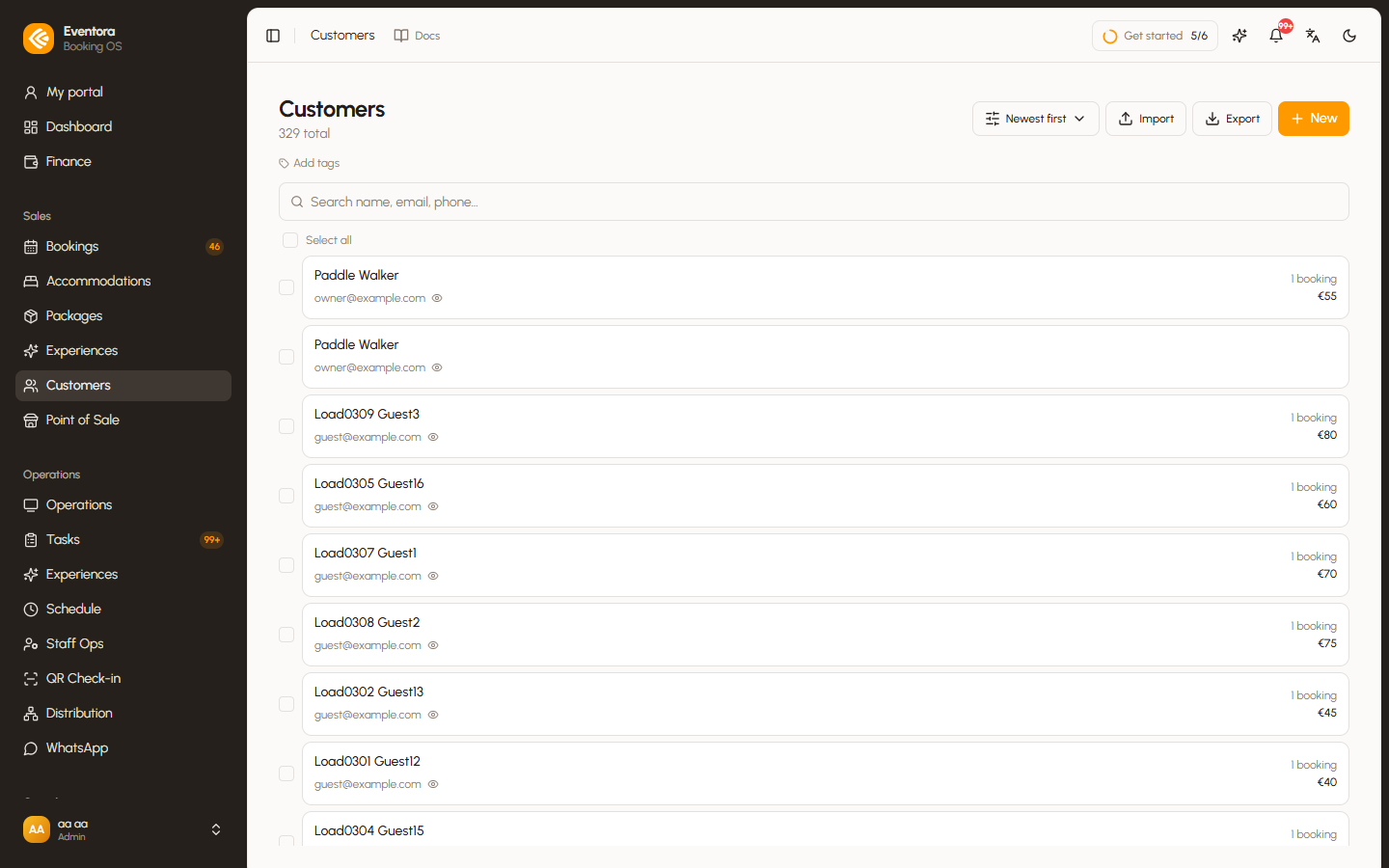
The Customers section provides a centralized guest database with full history, contact details, segmentation tools, and communication preferences.
Emails and phones can appear masked in list views (reveal with the eye control when your role allows). Screenshots in these docs use example addresses such as guest@example.com.
Customer list
The list shows all guests with at-a-glance statistics:
- Total spent — lifetime revenue from this guest
- Booking count — total number of reservations
- Last booking — date of the most recent booking
Sorting
Sort the list by:
- Newest (most recently added)
- Highest spend
- Last booking date
- Alphabetical
Filtering
Filter by tag to view a specific segment of guests (e.g., "VIP", "Corporate", "Repeat Guest").
Bulk actions
Select multiple customers to act on them at once: add a tag, send a WhatsApp message, add to an experience, add to an accommodation, or delete.
Customer profile
Click a customer to open their profile panel. It contains:
Personal info
- Name, email, phone
- Birthday and nationality
- Contact source (direct, WhatsApp, referral, social, email, other)
- Marketing consent status
Notes
Add timestamped internal notes visible only to your team. Notes are logged in a timeline and can be deleted individually.
Guest memory (staff only)
After a stay is marked completed, Eventora can store a private Guest memory summary on the profile (dietary preferences, skill level, notable incidents). It is:
- Visible only to staff on the customer panel
- Used carefully by the WhatsApp / web-chat agent for personalization
- Never shown on the public booking page
Clear it from the profile if it should not carry forward. More: AI Recommendations.
Tags
Assign color-coded tags for segmentation. Tags are shared across all customers. See Tags & Segmentation.
Recent bookings
The last 10 bookings for this guest are shown with status, product, and date. Click any booking to open it in the Bookings section.
Other profile sections
The profile also shows the guest's pipeline stage, a credit wallet balance, and related records: Tasks, Equipment rentals, Payments, Waivers, Memberships, and Conversations (WhatsApp/web chat history).
Creating a customer
Click New Customer and fill in at minimum: first name, last name, and email. All other fields are optional.
Editing and deleting
Open the customer profile and click Edit to update any field. Deleting a customer is permanent — confirm carefully.
Related
- Tags & Segmentation
- Import & Export
- AI Recommendations — guest memory & agent context